XWidget 1.2.3 Release

Mac OSX Dashboard Widgets for Windows

http://xwidget.com

[Information]
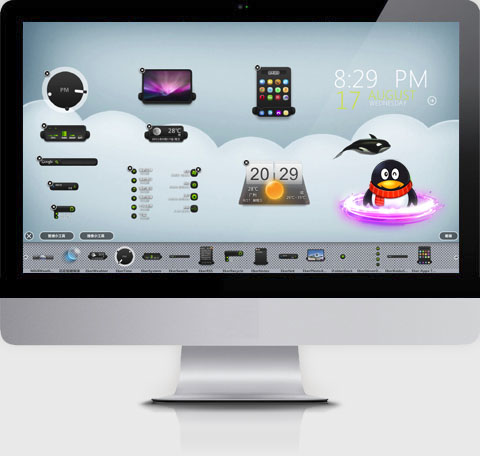
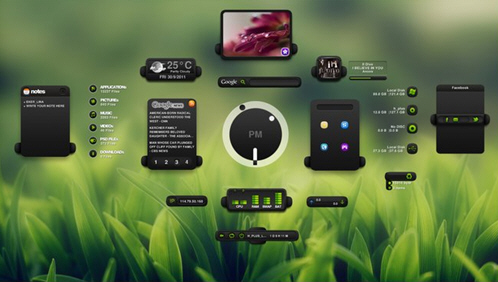
XWidget is a free desktop customization platform. It’s light, handy with powerful visual widget editor and very subtle animations.
xwidget support powerful javascript and vbscript.

Version: 1.2.3
Requirements: Windows XP or vista/Windows7/8
Updated: 2011-11-15


Homepage: http://www.xwidget.com
You can download from HERE (6.8 MB).
Widgets Gallery: http://www.xwidget.com/xwidget/



SOFTPEDIA "100% CLEAN" AWARD


[Update log]
v1.2.3 2011-11-16
Fixed Accuweather Core
Add "Celsius" option in Accuweather change location window
Add Aero Blur Effect for every control. (vista/win7/8)
Add Bang : !Shutdown !Restart !CreateNew and so on
Add MediaKeyBoard bang
Add function: Speak("hello"); widget.cmd(""); Widget.close; setWallPaper( filename );
Add "About" for widget popupmenu
Add "AutoSave" property for Edit control
Fixed Chinese keyboard problom


All feedback is appreciated!


[Video demo]
http://v.youku.com/v...90319o1p21.html
http://v.youku.com/v...690319o1p2.html
http://v.youku.com/v...90319o1p19.html
http://v.youku.com/v...90319o1p22.html
http://v.youku.com/v...90319o1p24.html
http://v.youku.com/v...90319o1p33.html
http://v.youku.com/v...90319o1p34.html
http://v.youku.com/v...90319o1p26.html


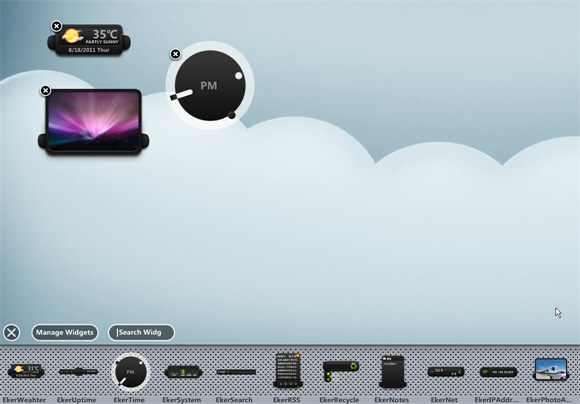
[ScreenSnap]


18,053 views 8 replies
Reply #1 Top

Getting it now!

Reply #2 Top

yay! but :'(

Reply #3 Top

Using it now and I am very pleased. The use of resources is VERY small, using 1,6 MB on my system with 3 widgets applied. User interface seems very polished also. Sure, there are adverts all over the place when You go into the gallery, but I think that is bearable having in mind this is freeware.

To the author : Are there any examples how to add system meters for displaying the use of CPU, RAM and HDs ?

Reply #4 Top

Quoting c242, reply 3
Using it now and I am very pleased. The use of resources is VERY small, using 1,6 MB on my system with 3 widgets applied. User interface seems very polished also. Sure, there are adverts all over the place when You go into the gallery, but I think that is bearable having in mind this is freeware.

To the author : Are there any examples how to add system meters for displaying the use of CPU, RAM and HDs ?
End of c242's quote


Thanks :)

You can open XWDesigner by click XWidget tray icon menuitem "create new widget", and add text control  and CPUcore/RAMCore , text control banding core select cpucore and select tags etc "%Percent"

Reply #5 Top

Okay, after some practice, it is really easy. :-) And : No crashes, 1.5 - 2 MB footprint only.


Reply #6 Top

In what gallery here on WC should you upload a skin for this ?? :sun:

Reply #7 Top

Good question ;-)

Reply #8 Top

First Tryout skinning it... -"Volume" for "Lethal" -WOW, all I can say is wow ! :sun: