


Sins of a Solar Empire : Real-Time Strategy. Unrivalled Scale.
© 2003-2013 Ironclad Games Corporation Vancouver, BC. All rights reserved.
© 2006-2013 Stardock Entertainment

DesktopX 4 and DesktopX 4 Pro Beta Updates

By on November 30, 2011 2:50:12 PM from JoeUser Forums JoeUser Forums

Island Dog

Stardock
Join Date 06/2003
+510

We have released an update for both DesktopX 4 and DesktopX 4 Pro.  These updates are only bug fixes for DesktopX.

You can download the betas (v3.96)  via the Stardock store only.

https://store.stardock.com/myaccount/products

73 Replies
Search this post
Subscription Options


Reason for Karma (Optional)
Successfully updated karma reason!
December 6, 2011 10:56:44 AM from WinCustomize Forums WinCustomize Forums

Phoon, just a sugg, have you tried clearing your cache, running CCleaner, log out, back in?


What browser are you using?

I know it shouldn't matter, but if 3.96 is there for me, it should be there for you.

Reason for Karma (Optional)
Successfully updated karma reason!
December 6, 2011 1:01:32 PM from WinCustomize Forums WinCustomize Forums
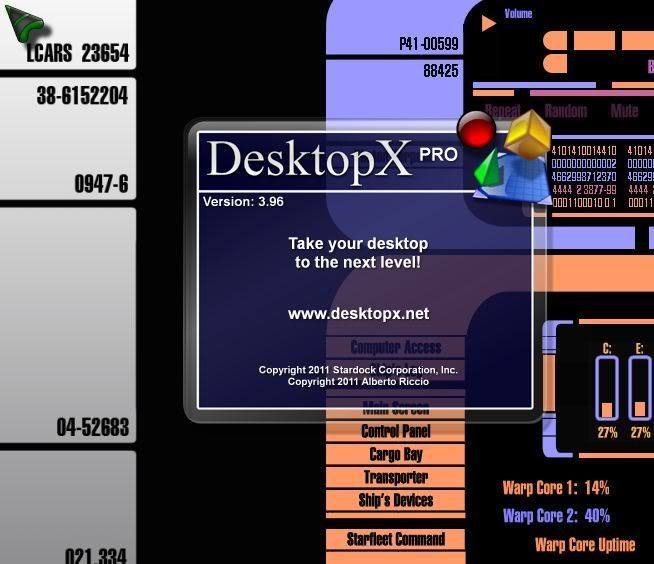
No difference RND, it still downloads the 4.x version.

Just curious, does 3.96 actually work? 

Reason for Karma (Optional)
Successfully updated karma reason!
December 6, 2011 4:15:14 PM from WinCustomize Forums WinCustomize Forums

Quoting Phoon,
Just curious, does 3.96 actually work?


Like a charm, so far.

Reason for Karma (Optional)
Successfully updated karma reason!
December 6, 2011 10:17:12 PM from WinCustomize Forums WinCustomize Forums
Quoting Phoon,
No difference RND, it still downloads the 4.x version
Any chance you can hit the link with a different browser?

Reason for Karma (Optional)
Successfully updated karma reason!
December 7, 2011 12:24:16 AM from WinCustomize Forums WinCustomize Forums

Hm, FF - 4.0 / IE9 - 4.0 / Chrome : 3.5. Cleared the Cache beforehand. Strange.

Note: Never have/had such problems getting fresh versions from other vendors, so I think there may be a glitch in the store somewhere. I have sent the links Your way, Zubaz.

Reason for Karma (Optional)
Successfully updated karma reason!
December 7, 2011 1:40:05 AM from WinCustomize Forums WinCustomize Forums

Only way I can get 3.5 is by Impulse.


I wish I had a 3.5 Pro I could stash away.


I can't get Impulse archives to work.

Reason for Karma (Optional)
Successfully updated karma reason!
December 7, 2011 1:40:51 AM from WinCustomize Forums WinCustomize Forums

Quoting c242,
Hm, FF - 4.0 / IE9 - 4.0 / Chrome : 3.5. Cleared the Cache beforehand. Strange.

Note: Never have/had such problems getting fresh versions from other vendors, so I think there may be a glitch in the store somewhere. I have sent the links Your way, Zubaz.

Is that 3.5 Pro Carl? If so, I might have to install Chrome and try.

Reason for Karma (Optional)
Successfully updated karma reason!
December 7, 2011 6:59:57 AM from WinCustomize Forums WinCustomize Forums

Dooh. Installed Chrome on the office PC, downloaded, tried setup - 4.00.017

Reason for Karma (Optional)
Successfully updated karma reason!
December 7, 2011 8:07:17 AM from WinCustomize Forums WinCustomize Forums

Very, very strange.

Thanks for the links Carl.

Reason for Karma (Optional)
Successfully updated karma reason!
December 7, 2011 12:41:57 PM from WinCustomize Forums WinCustomize Forums

I've tried IE9 and Chrome. All downloads are the 4.00.017 regardless of what pc I use to try.

Reason for Karma (Optional)
Successfully updated karma reason!
December 7, 2011 1:13:26 PM from WinCustomize Forums WinCustomize Forums

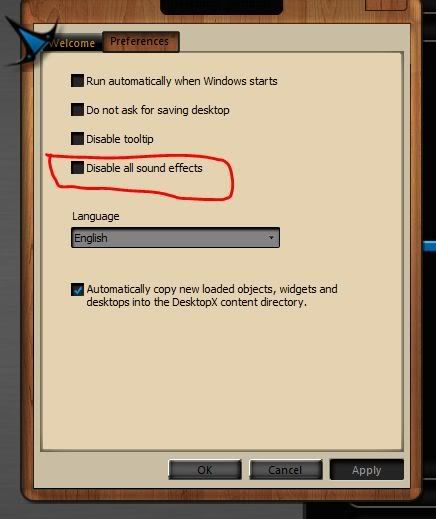
I wonder, while we're at this, can we fix it so the setting to start with windows works?

Reason for Karma (Optional)
Successfully updated karma reason!
December 7, 2011 5:28:04 PM from WinCustomize Forums WinCustomize Forums

RND, are you sure we are talking about DXPro? The link for DX says 3.96, the link for pro SAYS 3.5 but as we all know, that info is not correct at all.

Reason for Karma (Optional)
Successfully updated karma reason!
December 7, 2011 5:47:33 PM from WinCustomize Forums WinCustomize Forums

I mean the beta, Phoon, for DX Pro.

Reason for Karma (Optional)
Successfully updated karma reason!
December 8, 2011 12:23:30 AM from WinCustomize Forums WinCustomize Forums

So ? Will there be a fix at least for the download any time soon ?

Reason for Karma (Optional)
Successfully updated karma reason!
December 8, 2011 11:09:49 AM from WinCustomize Forums WinCustomize Forums

wow, this just gets better and better....

I have 3.5 Pro installed via Impulse on my laptop. Trying to uninstall it. Seems that I have to have Impulse installed just to uninstall the old version. A complete and utter load of #$%^. 

This must be something new and stupid that gamestop has done. It never used to be like that.

Reason for Karma (Optional)
Successfully updated karma reason!
December 8, 2011 11:48:10 AM from WinCustomize Forums WinCustomize Forums

now the brighter side.

The beta (3.96) seems to work ok on Win7 x64 Ultimate. I loaded up an object I created in 3.5 and at least the script editor opens with this version. It did not do so with the 4.00.017 version

Reason for Karma (Optional)
Successfully updated karma reason!
December 8, 2011 12:51:05 PM from WinCustomize Forums WinCustomize Forums

Quoting Phoon,
wow, this just gets better and better....

I have 3.5 Pro installed via Impulse on my laptop. Trying to uninstall it. Seems that I have to have Impulse installed just to uninstall the old version. A complete and utter load of #$%^. 

This must be something new and stupid that gamestop has done. It never used to be like that.

The uninstallers for applications installed via Impulse have always required Impulse to uninstall.  Thats because Impulse is the installer and uninstaller and so without that there is no code to perform the uninstall.

Reason for Karma (Optional)
Successfully updated karma reason!
December 8, 2011 1:21:33 PM from WinCustomize Forums WinCustomize Forums

Quoting RedneckDude,
Only way I can get 3.5 is by Impulse.


I wish I had a 3.5 Pro I could stash away.


I can't get Impulse archives to work.


RND try restoring the archive of a 

not

updated build and then restoring the updated version thats the only way it worked for me the last time

Reason for Karma (Optional)
Successfully updated karma reason!
December 8, 2011 1:33:35 PM from WinCustomize Forums WinCustomize Forums

Neil, I've uninstalled apps before via add remove programs in control panel, but...... honestly, this may have been the first time I've done it after I removed Impulse.

( Phoon salts foot, inserts in mouth for 100,000,000 th time....)

Reason for Karma (Optional)
Successfully updated karma reason!
December 8, 2011 2:13:10 PM from WinCustomize Forums WinCustomize Forums

There is always Your Uninstaller Pro, or Revo Uninstaller. These will uninstall anything and take the registry entries with it.


Roloccolor, Gamestop has borked the Impulse Archive system and they no longer work. At least, that's what I think Zubaz said.

I tried to install one and got a dialog telling me to go to Impulsedriven.com and unlock it. IE can't load the page.


Makes no sense to me since it's supposed to be an offline install.

Reason for Karma (Optional)
Successfully updated karma reason!
December 9, 2011 1:16:13 PM from WinCustomize Forums WinCustomize Forums

BUMP

Reason for Karma (Optional)
Successfully updated karma reason!
January 12, 2012 5:39:29 PM from WinCustomize Forums WinCustomize Forums

Can we get this returned to the new version of DX? Please....


Reason for Karma (Optional)
Successfully updated karma reason!
January 12, 2012 10:55:03 PM from WinCustomize Forums WinCustomize Forums

Reason for Karma (Optional)
Successfully updated karma reason!
Stardock Forums v1.0.0.0    #108434  walnut1   Server Load Time: 00:00:00.0000829   Page Render Time: