

Invisible Unit Problem Beta 4

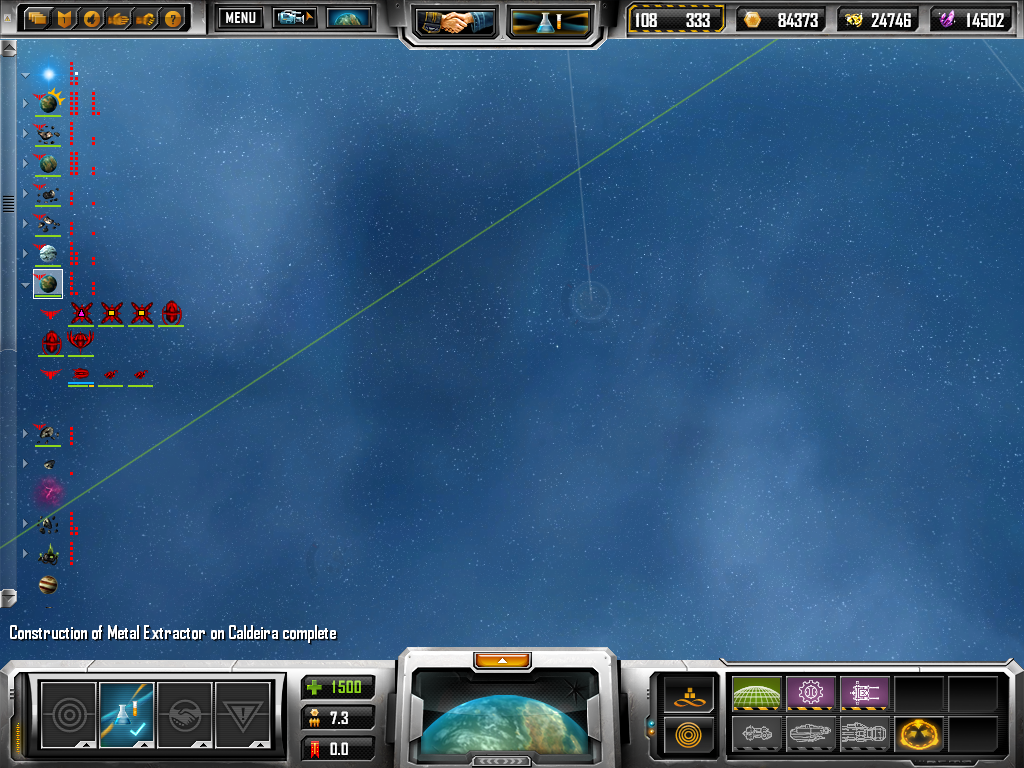
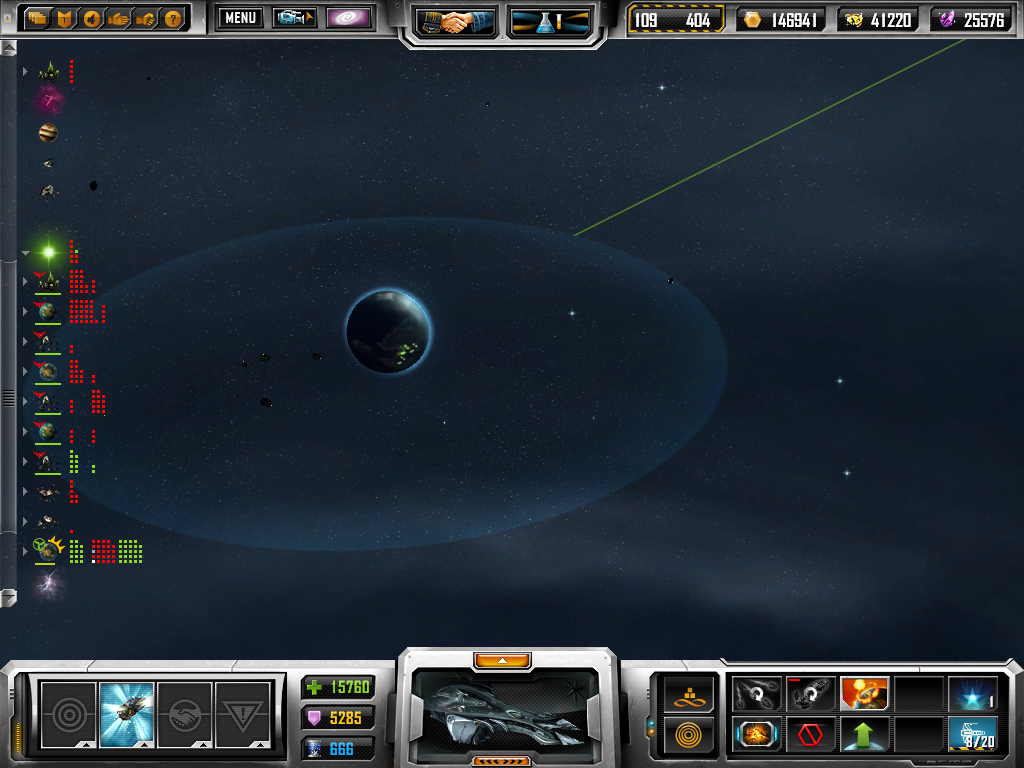
This is a picture of Terran planet which seem to be the only ones haveing this issue. It occurs however randomly, meaning some terran planets are fine you can see and select your units without problem.

The pic shows the problem planet, you should be able to see it and the line connecting to the asteroid but it's in a fog zoomed in as well.

Space craft do not have icons and are very difficult to locate you have to visually find them.

Another problem is with the sky box and i believe that is somthing happening for all planets while zoomed in the sky box isn't changeing like it's suppose to anymore.

It's late or i'd go back in and get a pic of the space craft disapearing act. That glitch would be nice for someone playing online and trying to hide from the other player.
7,498 views 16 replies
Reply #1 Top
Is that part of the system overlapping another star system's area? If so, others have reported this same issue.
Reply #2 Top
No this isn't another star system overlapping another it's just random planets makeing units show up invisible.

Like in a haze and the icons that make your unit selectable is not present. Basically it's like your ships are cloaked and not even you can see them.

Reply #3 Top


Planet being bombed back to there stoneage but theres no ships visibly bombing it untill you zoom allll the way in and search for them.
Reply #4 Top
are you sure you have selected the "show main view icons" in the options menu?
Reply #5 Top
Yes because most of the other planets show up fine, it may be the problem kyro spoke of but i've seen planets that aren't overlapping doing the same thing.
Reply #6 Top
It's a new feature to beta 4 that is caused by some rendering optimizations which clearly went a bit too far. Consider it fixed
Reply #7 Top
cool!! You apart of the programming team?
Reply #8 Top
Sigh would be nice if searching for overlapping had shown up something in a search
Reply #9 Top
I find this happening a few times myself, if you play with your view angle you should be able to see everything.
Reply #10 Top
I'm on a new laptop running vista and it seems to be running smoothly except for my ships going invisble with vasari and TEC ships on certain planets. No icons show in some areas of the game, very annoying!!!!!!!!!! I think I can sniff a bug!!!
Reply #11 Top
nooooooooooooooooooooooooooooo...when I'm the Vasari and zoom out then back in with caps lock I can't see my ships/icons and am unable to select!!!!

it happened with the TEC.

both on random large maps

Beta 3 worked fine but Beta 4 is just unplayable.
Reply #12 Top
both on random large maps
End of quote


You can stop beating a dead horse It's been in a bunch of threads, and it is only an issue with random multi-star maps. Premade scenarios work fine. Blair already said it's fixed, we just need to wait for the patch to be released.
Reply #13 Top
I am having the invisible ship problem too, except all my ships are invisible, including factories etc. and it's happens on all the maps I have tried, including non random ones, even in the tutorials I have everything invisible.

And when I start up I get this error:

Failed to Create D3DX Effect '.\PipelineEffect\GS_Ship.fx'...
.\PipelineEffect\GS_Ship.fx(257,7): error X3000: syntax error: unexpected token '='

Skip,

Failed to Create D3DX Effect '.\PipelineEffect\GS_ShipBuilding.fx'...
.\PipelineEffect\GS_ShipBuilding.fx(234,6): error X3000: syntax error: unexpected token ';'

Skip.

What can I do to bring the ships back?
Reply #14 Top

I am having the invisible ship problem too, except all my ships are invisible, including factories etc. and it's happens on all the maps I have tried, including non random ones, even in the tutorials I have everything invisible.

And when I start up I get this error:

Failed to Create D3DX Effect '.\PipelineEffect\GS_Ship.fx'...
.\PipelineEffect\GS_Ship.fx(257,7): error X3000: syntax error: unexpected token '='

Skip,

Failed to Create D3DX Effect '.\PipelineEffect\GS_ShipBuilding.fx'...
.\PipelineEffect\GS_ShipBuilding.fx(234,6): error X3000: syntax error: unexpected token ';'

Skip.

What can I do to bring the ships back?
End of quote


Try these 3 steps:

1. If your using vista try running the game with admin rights.

2. update your directx Link

3. and last one, try reinstalling the game

hope it helps

The invisible ship problem is known and fixed. Nothing the user can do but wait for a patch
Reply #15 Top
reinstalling the game worked for me thanks.
Reply #16 Top
Yeah, it looks like some of the files were corrupted, I don't think it would be a DX problem.