


Nacey Nacey

[MOD] Distant Stars - Rebellion Alpha 0.13 Released! [17/06/13]

[MOD] Distant Stars - Rebellion Alpha 0.13 Released! [17/06/13]

http://distantstars.mmobase.com


Feedback of any kind is always welcome. Ideas, balance changes, and bug reporting of any kind is always useful!

Version 1.00 Released!

Make sure to ask for permission before republishing any part of this mod to the public!

Downloads

Rebellion Logo

1.05 + DLC Compatible:

0.12 ALPHA Release:
Full Download:
http://distantstars.mmobase.com/rebellion/Distant_Stars_(R)_ALPHA_0.13_[45189661].7z

Full Download MIRROR:
http://www.moddb.com/downloads/distant-stars-rebellion-alpha-013

MD5: 69486D2FCD3F35E46E6F5EF8C9F1634A

Diplomacy Logo

1.34 Compatible:

1.01 Release:
Full Download:
http://distantstars.mmobase.com/diplomacy/Distant_Stars_(D)_1.01_[45685832].7z


Entrenchment Logo

1.051 Compatible:

Beta 0.9951 Release:
Full Download:
http://distantstars.mmobase.com/entrenchment/DS_Entrenchment_Beta_0.9951_[36672852].7z

SoaSE Logo

1.14 - 1.181 Compatible:

Version 1.01:
Full Download:
http://distantstars.mmobase.com/soase/Distant_Stars_v1.01_[453701567].7z

Make sure to ask for permission before republishing any part of this mod to the public!

Multiplayer Games:
We've setup a thread for everyone to organise their multiplayer games in and also setup example times and dates for most people to meet up and start games. These are what we hope to be the main times for people to be around and want to play games together.

The times are:
4pm EST (9pm GMT) Saturdays & Sundays
9pm EST (2am GMT)
Saturdays & Sundays

If you want to organise other games please go ahead using the same topic to consolidate all the information in one place and hopefully get more games together within our community. These games are for PvP, PvAI & PvPvAIso come along and we'll get some games going!

Screenshots:
We've setup a thread so you can all post your screenshots to share with us the Distant Stars team and its players. Im sure we're all intrigued to see what kinds of battles and events you've all been having on the mod aswell.

Lore:
We know some of you guys love to role play whilst using Distant Stars, and here's a topic for you guys to post all of your role playing stories, character profiles and anything else you can imagine.

Maps:
Some of you avid map makers out there have produced some great maps but never really had them recognised because they've got lost. Well here's a topic for you to post a link to the download (we can even provide mirrors if necessary) a screenshot or two of the map for us all the preview and if enough people like it we'll even include the map in with the actual mod!

Please visit our website and for more information, change logs, downloads, and to report bugs. Our website can be found here: http://distantstars.mmobase.com

Bug Reporting

If you want to report a bug please use the Bug Report feature on our website:
http://distantstars.mmobase.com/?m=reportabug

Please include as much information as possible, if you have an error log feel free to post it on these forums and we'll take it from there. If you can reproduce the error please include the error log (read below to find out how to enable error logs) and include as much detail on how to reproduce the problem.

To enable logging:
Windows Vista/Windows 7:
C:\Documents and Settings\<Your Windows Username>\Local Settings\Application Data\Ironclad Games\Sins of a Solar Empire\Setting
or
Windows XP:
C:\Documents and settings\<Your Windows Username>\Local Settings\Application Data\Ironclad Games\Sins of a Solar Empire\Setting

Open the user.setting file (using Notepad, Wordpad or any text editor) and scroll down to the bottom 7 lines from the bottom is the line:
LogOutput FALSE
Change FALSE to TRUE
LogOutput TRUE

and from then on any Log files will be saved to the debug folder:
Windows Vista/Windows 7:
C:\Documents and Settings\<Your Windows Username>\Local Settings\Application Data\Ironclad Games\Sins of a Solar Empire\Debug
or
Windows XP:
C:\Documents and settings\<Your Windows Username>\Local Settings\Application Data\Ironclad Games\Sins of a Solar Empire\Debug

If you get these log files to us (you can just paste them in to a forum post) we can hopefully get your issues sorted.

Frequently Asked Questions

All files are compressed using 7Zip to shrink the download filesize. To extract these files you must use WinRAR or 7Zip.
Any Patches should overwrite the original install directory, either by extracting over the original folder, or cut/copy & pasting over the existing file/folder structure.

1) My game keeps crashing, is there anything I can do to stop it?
i) Are you running the game on maximum (highest) settings? if so, lower them to High or Medium, there is a known issue with the game using up too much memory, there is nothing we can do about this, also no matter how powerful your pc is, it is affected by this issue no matter the pc it is not above this crashing issue, it is a game problem not a hardware one, so quite simply lower your settings. If you still have an issue with crashing see point two.
ii) Give us as detailed information as possible about the crash, what was happening at the time of the crash, what races, ships, abilities were involved. If you can supply a Debug Log (see above for more information about logging) and post a bug report on our website.

2) The loading screens and portrait pictures dont appear properly, whats wrong?
i) This is an issue with ATI based graphics cards (rarely affects Nvidia based cards) we're looking in to the issue.

3) Why dont you support converting Distant Stars in to TXT format?
i) Quite simply many things can go wrong with converting your mod to TXT, we cant help you with something you've probably broken yourself.

4) Can I mod Distant Stars for myself?
i) Yes you can however please do not distribute our mod or our mod that you have edited to the public. You must ask for permission to do so, we will regrettably stop distributing our mod to all if users abuse our work.

5) Your mod is in BIN format I can't edit the files, what can I do?
i) You can convert the mod to TXT format however we wont offer any support to versions of the mod that have been converted to TXT.

6) Why is Distant Stars distributed in BIN format?
i) Mods load faster in BIN format and are less likely to have issues in this format.

7) I'm having trouble installing the MOD, do you have any more instructions?
i) Carbon was kind enough to do some more advanced instructions out here.

8) Is there any way to make new maps for Distant Stars using GalaxyForge?
i) Within the Distant Stars Extras folder there is a folder called Galaxy Forge, Copy and Paste this folder (or its contents) over your original Galaxy Forge folder (or its contents) replacing any files if it asks you to. When you start Galaxy Forge next you'll be able to use all of our planets.

Or, the DIY approach (without custom icons):

ii) The GalaxyForge supplied by the devs will still work with our Mod, however to be able to access all of our planetary bonuses, templates, planet types and stars you will need to take our GalaxyScenarioDef.galaxyScenarioDef (found in the GameInfo folder of the mod) and place it in to your GalaxyForge folder, overwriting the original GalaxyScenarioDef.galaxyScenarioDef (if you still wish to make maps for the original game keep a backup of the original file). This will allow you to use all of the Galaxy changes included in our mod.

Note: Any maps made for Distant Stars will not work with other Mods. See #8.2 for DIY instructions for map making or take the appropriate files from Entrenchment, they're cross-client compatible.

Some statistics...

Since August 2009 to February 2011 we have had over...

400,000 Unique visits to the website
12,000GB (12TB) of data transferred from our website

That equates to over 60,000 Unique downloads of the entire mod, excluding the excess of 20,000 Patches downloaded. 

Thanks to everyone that has supported us this far and making our mod as popular as it is!

dyMRNwSFh9gw
15,668,023 views 8,423 replies +31 Loading…
Reply #3326 Top

What is with people's systems.... I rarely have to even turn my graphics down, and I run the game fine....mine you if you don''t use the dynamic movement it can trim down even more on the cpu and the ram usage, since the computer don't have to generate new movement paths

Reply #3327 Top

It's called bad programming and luck.  Two identical systems playing the same game, one made by manufacturer A, the other by manufacturer B.  Spec wise they should operate and play exactly the same, however the reality is, for some reason, a game plays differently on each.  The way they're built and the parts used have just as much of an impact as how the OEM programs used to run something as simple as a sound card can misbehave if it's coded poorly, and thus kill your game.  Hardware on the 12V power bus need to have that 12V to operate in an optimum fashion.  If there's corrosion or an inferior blend of copper used and the power bus operates at 11.8V, then hardware wise, you're never going to get your best performance out of every card connected to it.  Ultimately, a computer is like a snowflake in the sense that every single one is different so we all end up with different results even if we have the same PC model from the same manufacturer built only minutes apart.


You and I have systems that play the game well.  In single player I run everything on high with all of the effects on and don't crash.  Multiplayer, I turn everything down because of lag and other PC's wouldn't like to have to wait for mine if I have a hiccup and slowdown.  So for me, I just attribute it to having a well built system with parts that work as they're supposed to, and coding that's good enough to not cause problems.  Others, unfortunately, can't run it as well for one reason or another.

Reply #3328 Top

I too run most things on High, but I slow down a bit when I have 100 planets and max players with max fleets. That aside, I have the same build/brand computer as my bro. They still run completely differently. Even telling the comp to go to sleep doesn't work the same. Messed up really.

Reply #3329 Top

computers are like women

why they can be so crazy is an everlasting mystery

that us men must continue to strive to figure out

but yeah, I can run max graphics and while I get slow downs I never crash (and my system is old, need new woman, er system)

Reply #3330 Top

I will say I LOVE this mod, It for me, completes this game in a way the expansions did not, adding the new planets and the planets powers really gives it more depth. My only gripe is the Lack of a new model for the Planetary defense structure. But its a small one, and something I am sure is being worked on. 


Anyway, Good job on an amazing mod, Quite honestly I think they should strait up add your mod as a full on expansion, but thats just me. 

Reply #3331 Top

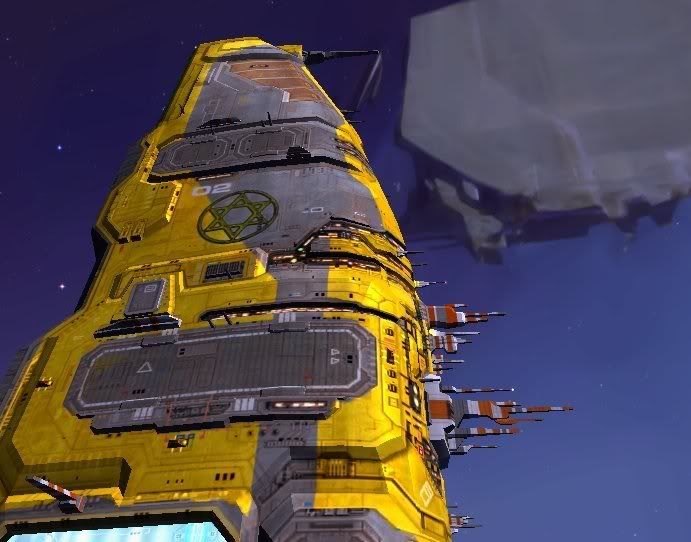
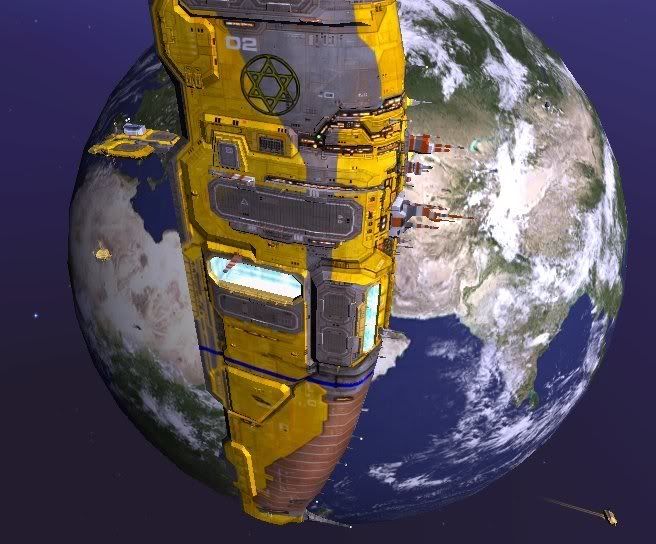
Actually, we don't have a 3-D modeler. :( It's been a while since I've done it, so I don't want to risk making something shitty. So unless you know someone that wants to contribute one, that's the model we have to live with.
Reply #3332 Top

We might recruit SuperZero0 to help with that

Reply #3333 Top

Any where I can look up the ship speeds for Distant Stars (or Sins in general, if they're unchanged)?  Trying to optimize my fleets, and a look at the individual ship speeds would help.

Reply #3334 Top

in the entity files with these lines

mass 80.000000
maxAccelerationLinear 150.000000
maxAccelerationStrafe 80.000000
maxDecelerationLinear 990.000000
maxAccelerationAngular 49.999992
maxDecelerationAngular 99.999985
maxSpeedLinear 2000.000000
maxRollRate 2.000000
maxRollAngle 35.000000

numbers are just examples

Reply #3335 Top

Thanks for the info.  Poring over them, max speeds look like

CapitalColonizer = 450

All other caps = 525

Most frigs and cruiser = 500

Heavy cruisers = 600

Light frigs = 800

Scout frigs = 1000

Anti-fighter frigs = 700

Siege frigs = 525

Reply #3336 Top

basically, never pay much attention as it rarely factors into tactics (except kiting)

Reply #3337 Top

Well, it can if you have multiple fleets (empire tree fleets) moving in on a target, but you want to make sure you're smaller support vessels keep behind the big dogs. Nice to know how long before they rush past.

Granted, targets are decided from the get go and there's no way to block a shot or enemy movement. Everything in this game gets willy nilly after a point.

Reply #3338 Top

As I said, I was sure it was something that was being thought about and such. Its not a do this now kind of thing, but if you do eventually find a 3d modeler giving some new models to the few things you added would be a great thing. Nothing that really changes the mod, but just something that adds a little bit more flair :D

Reply #3339 Top

I'm an idiot...

So, I was looking to bring the David's Lions into Homeworld, so I wanted to make a quick badge and did a little digging till I found where. I do the deed and wander off.

Then it hits me, "Wait, have I ever really hunted for .tga files or anything in Sins? No, I usually get base material from poor Nacey, whose probably tired of me asking for little 2-D tidbits. So I go looking around and finally find the slew of .tga files. Some of the stuff, I feel, was surprising to find it is done in 2-D. They do a good job with their alphas. Other things, I find and think, "Poor Nacey must have been yanking these files for me, thinking I'm a babbling, retarded child. Obviously, I can be. Now I have found the spot and have thought, "I wonder if anyone care about the small details? For example, many of the GF maps made for the mod have no images for map selection purposes, you know those little images with the cool text types. Wondered if I might fill those in. While I'm at it, I'm now more open to helping the whole mod with 2-D, if anyone comes up with requests.

Btw, put the skinning idea on the back burner cause I want to know if anyone has an idea how they would get different skins for different races, assuming it can be done.

And no, I'm opting out of doing new victory images by hand, but would be willing to composite some images with stylizing filters. A little airbrush and it might work. Will have to make a test image.

Reply #3340 Top

I'd like to see if we can get a few new icons in or replace a few for some new lore based ones.


I know we talked about the skins, Ive tried to tinker with each race having their own skin but I could not get Sins to see the new skins. At any rate you could make 3 basic themes and if nothing else you could create a mini mod for each per se. Allowing anyone to pick the one they like or goes with their favorite races theme. I just changed the color saturation on my personal version. It could be something that simple.


Victory Images IMHO could be something as simple as a screenshot ingame. With nice fancy writting slapped on it. Hell I could do it.


At any rate any 2-d work that gives the impression that your play DS and not SINS is great. If anything a new main menu would do wonders. And if I get the AI to do what I want, I could finally finish the DS into, Ive talked/worked on for what seems forever.


Just me dreaming big again though...lol.


EDIT: On Map pics. Dude I'd love to see the added maps get some cool pics like the standard ones do! Though Im bias b/c they are mostly my maps.

Reply #3341 Top

Heh.  I always include a custom picture for my maps.  They just seem incomplete to me if they don't reference some image to display in the window.  I'll zip up my early work and post it later today in the map thread.


I really need to get around to finishing up my map pack too...

Reply #3342 Top

Quoting -Ue_Carbon, reply 3340
I'd like to see if we can get a few new icons in or replace a few for some new lore based ones.


I know we talked about the skins, Ive tried to tinker with each race having their own skin but I could not get Sins to see the new skins. At any rate you could make 3 basic themes and if nothing else you could create a mini mod for each per se. Allowing anyone to pick the one they like or goes with their favorite races theme. I just changed the color saturation on my personal version. It could be something that simple.


Victory Images IMHO could be something as simple as a screenshot ingame. With nice fancy writting slapped on it. Hell I could do it.


At any rate any 2-d work that gives the impression that your play DS and not SINS is great. If anything a new main menu would do wonders. And if I get the AI to do what I want, I could finally finish the DS into, Ive talked/worked on for what seems forever.


Just me dreaming big again though...lol.


EDIT: On Map pics. Dude I'd love to see the added maps get some cool pics like the standard ones do! Though Im bias b/c they are mostly my maps.
End of -Ue_Carbon's quote


What kind of skins are we talking about?

Reply #3343 Top

The big reason I'm slow on the skins is that there is a lot of work if I want to do anything other than a color/texture change. It's not like the zerg, where I can just use a few skin palettes I have and bam, it's done. So if we can't get it to work for each race, I could always consider doing one basic thing for all, just to give it a different feel. As it is, I think I'll go with easier than not jobs first and work my way up.

And I was talking to Ryat elsewhere about doing some meshes. Was thinking that I had an idea for a pirate ship and the orbital defense control. I would be a little slow on getting the 3-D done, but if someone else jumps on board for that, I have sketches I can share. Just a thought.

As for icons, let me know what everyone has in mind for their faction.

I'll hop on the map images.

The main menu will come a touch later. If I'm going to do that and the HUD, I want a stylistic consensus.

Reply #3344 Top

go talk to Superzero0, he might have time to work that out with you

Reply #3345 Top

Map images and icons first. For all lore players and others interested, send me any sketches or descriptions you have for your icon ideas. I don't make icons if no one gives me any feedback.

And I contacted SuperZero0. Hope to hear from him soon.

Reply #3346 Top

Btw...

The David's Lions have officially found a wormhole to an alternate reality! We're going to take over the multiverse, one bit at a time.

Reply #3347 Top

Homeworld! yay! erm... huh?

Reply #3348 Top

Well..guess I will have to wait for the fix on this Mod before I can really say my PC can not handle it. Saving up my pennies for New System: AMD Phenom II X6 1055T Thuban 2.8GHz -- MSI 890FX SATA 6Gb/s USB 3.0 ATX AMD Mobo -- CORSAIR HX Series CMPSU-1000HX 1000W ATX12V 2.2 -- Corsair DOMINATOR 8GB -- SAPPHIRE Toxic Radeon HD 5850 2GB - Windows 7 x64 Ultimate

Current System:

AMD Athlon(tm) 64 X2 Dual Core Processor 6400+ 3.2GHz -- Corsairs XMS 8.0 GB RAM -- Microsoft Windows Vista Ultimate Edition Service Pack 2 (build 6002), 64-bit -- Geforce EVGA 9600 GT 512MB (2 in SLI) -- ASUS M2N32 SLI Deluxe ATX AMD Mobo -- Thermotake 750W power supply

Use to think my CPU was giving out because Mass Effect 2 crashes even on low settings, however I can play Prototype, Aliens vs Predator (2010), CoD MW2, BioShock2 with ease on high settings with ease. Crysis was also a breeze in the park for my current system, so guess only time well tell. Was thinking about installing Win7 64 Ultimate, but not having Directx 11 cards just seems pointless.

Reply #3349 Top

Quoting dongsweep, reply 3348
Well..guess I will have to wait for the fix on this Mod before I can really say my PC can not handle it. Saving up my pennies for New System: AMD Phenom II X6 1055T Thuban 2.8GHz -- MSI 890FX SATA 6Gb/s USB 3.0 ATX AMD Mobo -- CORSAIR HX Series CMPSU-1000HX 1000W ATX12V 2.2 -- Corsair DOMINATOR 8GB -- SAPPHIRE Toxic Radeon HD 5850 2GB - Windows 7 x64 Ultimate

Current System:

AMD Athlon(tm) 64 X2 Dual Core Processor 6400+ 3.2GHz -- Corsairs XMS 8.0 GB RAM -- Microsoft Windows Vista Ultimate Edition Service Pack 2 (build 6002), 64-bit -- Geforce EVGA 9600 GT 512MB (2 in SLI) -- ASUS M2N32 SLI Deluxe ATX AMD Mobo -- Thermotake 750W power supply

Use to think my CPU was giving out because Mass Effect 2 crashes even on low settings, however I can play Prototype, Aliens vs Predator (2010), CoD MW2, BioShock2 with ease on high settings with ease. Crysis was also a breeze in the park for my current system, so guess only time well tell. Was thinking about installing Win7 64 Ultimate, but not having Directx 11 cards just seems pointless.
End of dongsweep's quote

the issue is not the mod but the core of the game, so it must be handled differently then what we normally do

as one in contact with the main modder (Nacey), I can say we are very close to releasing an update that will reduce/remove the issue