Nacey Nacey

[MOD] Distant Stars - Rebellion Alpha 0.13 Released! [17/06/13]

[MOD] Distant Stars - Rebellion Alpha 0.13 Released! [17/06/13]

http://distantstars.mmobase.com


Feedback of any kind is always welcome. Ideas, balance changes, and bug reporting of any kind is always useful!

Version 1.00 Released!

Make sure to ask for permission before republishing any part of this mod to the public!

Downloads

Rebellion Logo

1.05 + DLC Compatible:

0.12 ALPHA Release:
Full Download:
http://distantstars.mmobase.com/rebellion/Distant_Stars_(R)_ALPHA_0.13_[45189661].7z

Full Download MIRROR:
http://www.moddb.com/downloads/distant-stars-rebellion-alpha-013

MD5: 69486D2FCD3F35E46E6F5EF8C9F1634A

Diplomacy Logo

1.34 Compatible:

1.01 Release:
Full Download:
http://distantstars.mmobase.com/diplomacy/Distant_Stars_(D)_1.01_[45685832].7z


Entrenchment Logo

1.051 Compatible:

Beta 0.9951 Release:
Full Download:
http://distantstars.mmobase.com/entrenchment/DS_Entrenchment_Beta_0.9951_[36672852].7z

SoaSE Logo

1.14 - 1.181 Compatible:

Version 1.01:
Full Download:
http://distantstars.mmobase.com/soase/Distant_Stars_v1.01_[453701567].7z

Make sure to ask for permission before republishing any part of this mod to the public!

Multiplayer Games:
We've setup a thread for everyone to organise their multiplayer games in and also setup example times and dates for most people to meet up and start games. These are what we hope to be the main times for people to be around and want to play games together.

The times are:
4pm EST (9pm GMT) Saturdays & Sundays
9pm EST (2am GMT)
Saturdays & Sundays

If you want to organise other games please go ahead using the same topic to consolidate all the information in one place and hopefully get more games together within our community. These games are for PvP, PvAI & PvPvAIso come along and we'll get some games going!

Screenshots:
We've setup a thread so you can all post your screenshots to share with us the Distant Stars team and its players. Im sure we're all intrigued to see what kinds of battles and events you've all been having on the mod aswell.

Lore:
We know some of you guys love to role play whilst using Distant Stars, and here's a topic for you guys to post all of your role playing stories, character profiles and anything else you can imagine.

Maps:
Some of you avid map makers out there have produced some great maps but never really had them recognised because they've got lost. Well here's a topic for you to post a link to the download (we can even provide mirrors if necessary) a screenshot or two of the map for us all the preview and if enough people like it we'll even include the map in with the actual mod!

Please visit our website and for more information, change logs, downloads, and to report bugs. Our website can be found here: http://distantstars.mmobase.com

Bug Reporting

If you want to report a bug please use the Bug Report feature on our website:
http://distantstars.mmobase.com/?m=reportabug

Please include as much information as possible, if you have an error log feel free to post it on these forums and we'll take it from there. If you can reproduce the error please include the error log (read below to find out how to enable error logs) and include as much detail on how to reproduce the problem.

To enable logging:
Windows Vista/Windows 7:
C:\Documents and Settings\<Your Windows Username>\Local Settings\Application Data\Ironclad Games\Sins of a Solar Empire\Setting
or
Windows XP:
C:\Documents and settings\<Your Windows Username>\Local Settings\Application Data\Ironclad Games\Sins of a Solar Empire\Setting

Open the user.setting file (using Notepad, Wordpad or any text editor) and scroll down to the bottom 7 lines from the bottom is the line:
LogOutput FALSE
Change FALSE to TRUE
LogOutput TRUE

and from then on any Log files will be saved to the debug folder:
Windows Vista/Windows 7:
C:\Documents and Settings\<Your Windows Username>\Local Settings\Application Data\Ironclad Games\Sins of a Solar Empire\Debug
or
Windows XP:
C:\Documents and settings\<Your Windows Username>\Local Settings\Application Data\Ironclad Games\Sins of a Solar Empire\Debug

If you get these log files to us (you can just paste them in to a forum post) we can hopefully get your issues sorted.

Frequently Asked Questions

All files are compressed using 7Zip to shrink the download filesize. To extract these files you must use WinRAR or 7Zip.
Any Patches should overwrite the original install directory, either by extracting over the original folder, or cut/copy & pasting over the existing file/folder structure.

1) My game keeps crashing, is there anything I can do to stop it?
i) Are you running the game on maximum (highest) settings? if so, lower them to High or Medium, there is a known issue with the game using up too much memory, there is nothing we can do about this, also no matter how powerful your pc is, it is affected by this issue no matter the pc it is not above this crashing issue, it is a game problem not a hardware one, so quite simply lower your settings. If you still have an issue with crashing see point two.
ii) Give us as detailed information as possible about the crash, what was happening at the time of the crash, what races, ships, abilities were involved. If you can supply a Debug Log (see above for more information about logging) and post a bug report on our website.

2) The loading screens and portrait pictures dont appear properly, whats wrong?
i) This is an issue with ATI based graphics cards (rarely affects Nvidia based cards) we're looking in to the issue.

3) Why dont you support converting Distant Stars in to TXT format?
i) Quite simply many things can go wrong with converting your mod to TXT, we cant help you with something you've probably broken yourself.

4) Can I mod Distant Stars for myself?
i) Yes you can however please do not distribute our mod or our mod that you have edited to the public. You must ask for permission to do so, we will regrettably stop distributing our mod to all if users abuse our work.

5) Your mod is in BIN format I can't edit the files, what can I do?
i) You can convert the mod to TXT format however we wont offer any support to versions of the mod that have been converted to TXT.

6) Why is Distant Stars distributed in BIN format?
i) Mods load faster in BIN format and are less likely to have issues in this format.

7) I'm having trouble installing the MOD, do you have any more instructions?
i) Carbon was kind enough to do some more advanced instructions out here.

8) Is there any way to make new maps for Distant Stars using GalaxyForge?
i) Within the Distant Stars Extras folder there is a folder called Galaxy Forge, Copy and Paste this folder (or its contents) over your original Galaxy Forge folder (or its contents) replacing any files if it asks you to. When you start Galaxy Forge next you'll be able to use all of our planets.

Or, the DIY approach (without custom icons):

ii) The GalaxyForge supplied by the devs will still work with our Mod, however to be able to access all of our planetary bonuses, templates, planet types and stars you will need to take our GalaxyScenarioDef.galaxyScenarioDef (found in the GameInfo folder of the mod) and place it in to your GalaxyForge folder, overwriting the original GalaxyScenarioDef.galaxyScenarioDef (if you still wish to make maps for the original game keep a backup of the original file). This will allow you to use all of the Galaxy changes included in our mod.

Note: Any maps made for Distant Stars will not work with other Mods. See #8.2 for DIY instructions for map making or take the appropriate files from Entrenchment, they're cross-client compatible.

Some statistics...

Since August 2009 to February 2011 we have had over...

400,000 Unique visits to the website
12,000GB (12TB) of data transferred from our website

That equates to over 60,000 Unique downloads of the entire mod, excluding the excess of 20,000 Patches downloaded. 

Thanks to everyone that has supported us this far and making our mod as popular as it is!

dyMRNwSFh9gw
15,667,153 views 8,423 replies +31 Loading…
Reply #3476 Top

@Skyjack

What skill level are the AI opponents and are there teams?  Magnetic clouds do indeed disable special abilities, but it has no effect on strike craft launching or normal weapons fire.

My guess is:
1. That you're playing against some really vicious AI's (especially if they have 32 caps at the 2 hour mark).
2. You're in a plasma storm so that strike craft launch is disabled.
3. The AI's both have enough ships that can disable the enemy and are using them to their fullest potential in staggered uses so that they're in a full on cycle of not being able to do very much. (Ion bolts, Armistice, Deceptive Illusions, Reverie, and Phase out hull)
4. They're more interested in each other then you since they think you're not a threat and you're last to the party, so you're being left alone as you pass through the gravity well.

If my guesses are all accurate, then nothing is broken, everything is working exactly as designed, it's just the misfortune of circumstance that all of these things are coming together at the same time...  Well, misfortune for them, hell, I'd love to jump in on 64 caps and hundreds of cruisers and frigates and take them all out.  Looks good on the final stats page.


@Draak

RFT logo is awesome.  Space ponies logo will have it's uses for sure.  =]

Reply #3477 Top

Yours sure won't be the most popular now.

Reply #3478 Top

Space ponies is just a novelty.  It'll have it's uses, but it won't be the most popular.

Reply #3479 Top

Quoting Stant123, reply 3476
@Skyjack

What skill level are the AI opponents and are there teams?  Magnetic clouds do indeed disable special abilities, but it has no effect on strike craft launching or normal weapons fire.

My guess is:
1. That you're playing against some really vicious AI's (especially if they have 32 caps at the 2 hour mark).
2. You're in a plasma storm so that strike craft launch is disabled.
3. The AI's both have enough ships that can disable the enemy and are using them to their fullest potential in staggered uses so that they're in a full on cycle of not being able to do very much. (Ion bolts, Armistice, Deceptive Illusions, Reverie, and Phase out hull)
4. They're more interested in each other then you since they think you're not a threat and you're last to the party, so you're being left alone as you pass through the gravity well.

If my guesses are all accurate, then nothing is broken, everything is working exactly as designed, it's just the misfortune of circumstance that all of these things are coming together at the same time...  Well, misfortune for them, hell, I'd love to jump in on 64 caps and hundreds of cruisers and frigates and take them all out.  Looks good on the final stats page.


@Draak

RFT logo is awesome.  Space ponies logo will have it's uses for sure.  =]
End of Stant123's quote


Ha Ha!  Thanks for replying.  

@Stant123 you CAN'T wipe them out if your weapons won't fire.  I mean out of hundreds of ships, you only see maybe 10 shots per minute. 


The facts so far:

It's about hour 9 of actual play time.  4 NORMAL A.I. opponnents, 2 vasari, 2 TEC.  I am ADVENT.

It's a Plazma Storm.

Inside this storm, The Vasari are my ally, the TEC is my enemy.

Whatever the max # of caps allowed with DS, each side had them all in there (32?) They also have their full fleet capacity of Cruisers/Frigs in there.

When you mouse over any ship inside the storm, it will read IVULNERABLE, ABILITIES DIABLED, WEAPONS DISABLED.  This will change and a few few ships will fire here and there but mostly they just chase and swirl to and fro, accomplishing very little.

When one of my fleets or ships enter the storm, the enemy ships will chase mine but i never worry since they can only fire a few shots here and there, not even enough to destroy a scout ship!

They seem disinclined to ever leave the storm.  It's purgatory, I tell you!  What have they done to deserve such an existance?!?!?

I am now going to invade the TEC worlds.  Maybe that will persuade them to leave the storm and defend.

 Anyway, that's the sitrep.


-Sky


UPDATE:  after zooming in and really watching and studying, it seems it's just a Plasma Storm that both sides keep reinforcing.  There's a lot more firing and even killing going on than I initially thought.  The Caps are firing and leveling slowly, prbably only killing non-Caps.  The Plasma Storm disables the Strike Craft and Cap abilities are what keeps disabling the each other's abilities so ofthen that it appears at fisrt that nothing is happening, then all hell breaks loose when they all start firing for a few seconds (like 600 ships!), and then stop abruptly.

Reply #3480 Top

Okay, it's armistice for sure. Armistice has a range limit. If there were structures, I would say get some bombardment vessels. As it is, there are no super long range weapons for ships that aren't abilities (hence a limitation via anti-matter). I would take advantage of the situation, moving some constructors to an enemy well. Take out immediate resistance and then get a station up as fast as possible. This not only guarantees they hit a shit storm as they come after you, but with something so large in their gravwell, odds are they'll scurry out of there.

If the Akkan is producing a blue aura beneath it (appears as a shield symbol), then it's Armistice for sure.

Reply #3481 Top

Well, you didn't say your weapons were disabled too, just that theirs were, so to me that means jump in and attack while they can't...  You also said they were your opponents, not one opponent and one ally, but that doesn't really matter...  Proper descriptions leads to better debugging/help/advice.  At any rate, like Draak said, with those three notices (invulnerable/weapons disabled/abilities disabled) looks like Armistice has indeed been activated, I don't know why though since autocast should be off by default meaning the computers won't use them, or mixes of those others I mentioned which result in the same thing...

If you want to end the battle in there, then do some damage, get in there with some Destras and kill off any Akkans you see.  That should remove most, if not all, of the problems, then go after any Hoshikos you see to stop the continued cycle of weapons disabled.  After that you shouldn't need to participate in it any longer since your ally should be able to remove the rest of the ships on their own.  Eventually, the battle will move somewhere else.  It'll take a while, but if you're only sending in Destras and staggering in their entry, forcing attacks on specific targets with all of them, then it should be resolved soon enough.

They won't ever leave because that's where the two fleets met and that's where the battle will be decided.  You just need to severely weaken one side or the other and force them into a retreat to get the battle to move elsewhere.  Starbases help forcing retreats.  Right now each time a ship dies, it get's replaced, and since they're not dying fast enough, nothing else is happening.  Attacking their worlds won't get them to pull out since they're committed to the battle.  I'd say just leave them be and have fun taking out mostly undefended territories.


If you want, quick start up another game as the TEC and build an Akkan to see if Armistice autocast is on or off, if it's on, tell us which version of DS you're running and we can give you a file or instructions on how to change it yourself to turn autocast off and this type of stalemate shouldn't happen anymore.  If it's off, then you have AI's using abilities they shouldn't be using, in which case, enjoy it, they rarely play that smart.

Reply #3482 Top

If its on diplomacy the AI uses all the abilities for the cap ships and researches everything so that should explain the armistice being used.

And they always play smart on diplomacy lol .


Reply #3483 Top

Quoting palidins, reply 3482
If its on diplomacy the AI uses all the abilities for the cap ships and researches everything so that should explain the armistice being used.
End of palidins's quote

Research has nothing to do with Cap Ship abilities, so it explains nothing about armistice use.  The abilities of the frigates and cruisers definitely, but not Cap Ships.

As for the abilities themselves being used, yes the AI is supposed to use them, but no it doesn't always as is the case here, and in no way are they smart enough to chain the uses...  That just happens because by the time the third is used, the first one has fully recharged.  If for whatever reason the ability is on autocast, the ship will always use it, not just randomly use it, hence the asking if it's enabled or not.  If it is, then it needs to be turned off so there's a chance at fighting against 3 or more AI Akkans without suffering from the chaining effect that is happening.  If it's not on autocast, then that's just part of the randomness of the AI deciding that at least 3 of those favor that ability and made it a priority to use them, in which case, nothing is broken and once they're destroyed, things should go back to expected performances.

Quoting palidins, reply 3482
And they always play smart on diplomacy lol .
End of palidins's quote

HAHAHAHAHAHAHAHA!  Damn that was funny.  :D

They're better then earlier versions for sure, but they're far from smart.  They don't scout gravity wells before jumps to clear out mines, they still have some difficulty in dealing with starbases, they don't retreat from battles that they will lose without taking massive losses first, they don't retreat to protect their planets, they don't adjust their fleet make-up to combat what you throw at them, they put their defenses/mines/starbases in dumb spots, they don't build up their starting planets until after you've reduced their outer planets, they just don't respond to anything very well at all.  Join the weekend MP games and after a few rounds, you'll see how pathetic the AI really is.  Of course, you'll need this patch for diplomacy.

Reply #3484 Top

What the Vasari are really running from...

+1 Loading…
Reply #3486 Top

Who made that?

That is hilarious.

If you made that Draak, thumbs up! :thumbsup:

Reply #3487 Top

I did. I accept your accolades. :grin:

+1 Loading…
Reply #3488 Top

Just wanted to say great MOD guys & thanks.

Reply #3489 Top

Quoting Draakjacht, reply 3484
What the Vasari are really running from...

Reduced 53%Original 1024 x 819
End of Draakjacht's quote

sweet pic dude.....Bison.....


press here for effect!!!!!

Reply #3490 Top

Quick question: Is the diplomacy 0.7 mod the same as the 0.9951 entrenchment mod or is the diplomacy 0.7 mod an older version? 

Reply #3491 Top

They are the same, yet different.  Each DS mod is for its respective version of the game.

If you only have vanilla sins, then you download Distant Stars Vanilla, which is at v1.01.

If you have the entrenchment micro expansion, you download Distant Stars Entrenchment, which is at v0.9951.

If you have the diplomacy micro expansion, you download Distant Stars Diplomacy, which is up to version 0.7.


Basically, don't compare them to each other by version number since they're actually 3 separate mods, one for each version of the game.  Content wise, DS Vanilla is actually pretty far behind the other two, it really doesn't even work with the current version of Sins without making some changes.  DS Entrenchment and DS Diplomacy are fairly similar, although the diplomacy version is just a little bit more up to date, but not by much.

Why are there three versions of the mod with three different version numbers for each you ask?  Well, honestly, what good is all that extra research for mines and starbases if you don't have Entrenchment?  It's all superfluous and game breaking.  Same thing with the little extras in diplomacy.  They're useless in entrenchment and vanilla.  That's why there are three different mods.  As for the difference in version numbers, sure they could be made to match up better, and in the end they will, but for right now, each is in a different stage of development, so each get's it's own number.

Reply #3492 Top

Wow can't believe there hasn't been news from the top ranks

Reply #3493 Top

There has been.  They just use invisible posts and cypher shifts.  ;P

Reply #3494 Top

I think it's a mixture of them talking on chat or TS and waiting up for us underlings. I know my profile work wasn't the quickest. Hope to do better on the HUD.

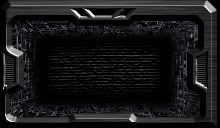
Fourth draft on HUD idea. Whatcha think? Going to have glowing holoemitters on the side projections, shining down on the mechanical inset. Matching colors on the top insets and gonna see if I can make them to glow using colors Stant plans to use for each version of the game. I want to have a floating holoprojection, so I'm going to edit out the glass, assuming that causes no technical issues for the program.


Reply #3495 Top

Quoting Stant123, reply 3442
If your settings are on highest, you'll crash pretty quick, the lower you set them the longer it'll take, but eventually it will get there.  I recently played online with the diplomacy version with all of the settings on lowest and played out something like 8 hours before the first crash.
End of Stant123's quote


Can someone clarify this statement please.  I have read about the limit and understand the constraints. 

But my only question is even if I play at medium details my game will crash eventually?  If so, do this poster mean that this current game session will crash and I will just have to restart the game and keep playing?  Or does the poster mean that current save is lost because the size reached a certain limit within the current save and I will have to start a new game?


Thanks for the clarification.

Reply #3496 Top

If you understand them, then you don't need clarification, just further education to help you reach that Ah-Ha! moment.

Beginning Further Education

You've only considered part of the story or you'd already know the answer to your questions.  I'm sure you realize that Sins preloads all of itself into your RAM before you even play, what you're not considering is that as you play and build up your fleet and planets, so are your allies, and so are your enemies.  Every single thing that is built must be accounted for in the RAM.

For example: If you load up on the highest settings, you use up something like 1.8gigs of RAM right at the start of the game.  I don't know the exact number, I've never looked it up, so don't bother trying to correct me, I just don't care.  Now start adding in every constructor ship, every frigate, every structure on the planet, every structure in orbit, every cruiser, every capital ship, every strike craft, every refinery ship, every trade ship, and every single weapon that fires, missiles, lasers, beams, auto cannons, every ability used, all the debris in the gravity well, even the sounds that play when you click on things or zoom in and out of gravity wells...  Everything.  It all takes up space.

Some of it, like the sound effects, are used and then dumped and replaced by the next one, others like the ships, always stay loaded even if none of those are ever built, and some others still that should be dumped after they're used, do not get dumped and just take up space for no reason at all.  A good example of this is the issue that causes the phase gate loop sound to loop infinitely in some cases.  On highest graphics, you will crash in about 10 minutes or less once Sins tries to use more then it's allotted RAM.  Usually less since it doesn't take very long for you to build through .2Gigs of RAM.  More times then not, your log file will show you that a sound failed to load causing the crash.  It's because there was not enough memory left to load it into which is why the solution is to always reduce your graphics, never anything to do with the sound.

Starting everything on medium settings means the game for example only uses up 1.1Gigs of RAM right at the start preloading everything into memory.  Now all of those things you, your allies, and your enemies build, you can build four times as many or more without worry of a crash since you now have more room to work with, but you won't be spared from that fate forever.  You have .9Gigs instead of .2Gigs to build through.  If you play a large enough map, you will get there eventually and you will crash.  On smaller maps, the game is usually over before the memory is all used up, in which case, you don't crash, but the potential is always there.  If you use up enough memory, you still crash out.

Even on the low settings, like I said before, I made it through 8 hours before it crashed.  Quite a long time, but it did eventually crash once enough had been built up, though there were three of us on a large map and we were all in our rebuilding phases after kicking the crap out of the fleets, so the count of objects I'm sure was beginning to skyrocket and the 2Gig limit was crossed, at least on my end, causing me to crash out first.

If it's any consolation, normally when I play by myself to get screenshots or test things out, I have all of the graphics on high and on medium maps, I can win and not suffer from a single crash unless I've been screwing with some of the files and messed something up.  You should be able to complete a game at your current settings.

Moral of the story: The higher the settings and/or the larger the map, the more you have to worry and the faster it happens.  The lower the settings and/or the smaller the map, the less you have to worry and you get to play much longer before it happens.  And then there are all of the varied degrees in between.  The only possible way to eliminate the crashing permanently is to rewrite the executable into a 64bit executable, though that screws everyone who has a 32bit system out of playing the game.

End Education

Now to your question specifically, which is actually three questions.

Yes.

Yes.

No.

Why?  Because of that useless junk that should have been dumped but for whatever reason didn't dump out is now gone so you end up with more space to use.  The longer you've been playing, the more junk data has had a chance to build up, the more space you'll get back.  You should be aware that you're now rapidly approaching the limit and should make every effort to start wiping your enemies out, thus reducing the object counts, or restart Sins turning your settings down a little further, thus giving yourself more room to work with.  The only way you will have a save that no longer works is if you've been playing with every single option reduced to it's absolute lowest or turned off all together, using the smallest screen size you could use and manage to save it right before the moment you cross the 2Gig limit and have absolutely no wasted data in the RAM, in which case, seconds after you reload, you will crash every time.  It's extremely rare and excessively difficult to even intentionally make this happen, so you don't really have to worry about it.  Since you play on medium, if you do find yourself with a save that crashes every time you load it, just turn one or two things down and continue on, but seriously start trying to win as soon as possible.

Reply #3497 Top

You can also use Large Address Aware, which will manhandle the game and make it use up to 4 GB before crashing (I think the actual limit for sins with it is 3.5 GB.)

Reply #3498 Top

Quoting AlbinoPanda, reply 3497
You can also use Large Address Aware, which will manhandle the game and make it use up to 4 GB before crashing (I think the actual limit for sins with it is 3.5 GB.)
End of AlbinoPanda's quote


This is will send Stant into a unholy rage.


But I will save you the trouble. The LAA doesnt give SINS more RAM. Sins is hardcoded to dump at 2 GB. PERIOD. That is b/c it is written as a 32-bit program. Had SINS been written as a 64-bit program non of this would be a problem.


I just save you an forum life. Your bill is in the mail.


BTW, Ive have play 12+ hour game non stop and not crashed. It gets laggy as heck if there are 1000's of ships fighting in the one grav well. But your performance will vary on your computer.

Reply #3499 Top

@-Ue_Carbon QTF

Same here with me, I max out everything and I rarely crash unless I have other apps going. But then again I am only running a 32 bit OS (yes I am on of those old fossils that would get left behind) and I wonder if that helps.

Reply #3500 Top

I need a Dr. House De-Motivational poster to tell people that they're all idiots.

Your efforts are admirable Carbon, but not good enough to destroy the LAA myth, I don't think he and everyone else thinking about doing it feel like they're idiots yet for even considering it.


I'm just going to throw down some simple discussion points for everyone to consider.

  1. Learn to read.  It's called Large Address Aware, not Use More RAM.  Being aware, does not make you able.  I am aware that it is possible for a sniper to shoot and kill someone a mile and a half away, that knowledge does not make it possible for me to be able to do it as well.  Awareness does not equal ability.
  2. Sins is 32bit, and therefor only allowed to use 2Gigs of RAM.  Any attempts to use more then that causes the OS to kill the program.  Changing one simple flag does not change the program to 64bit.  If it did, don't you think every software developer out there would have done so years ago?
  3. Modifying the OS to allow LAA it is dumb, stupid, idiotic, and well within the reign of you being retarded.  A 32bit OS does not have the RAM (or processing ability) to support such activities which is why the coding limits were put into place to begin with, and a 64bit OS already does better by using higher addresses to begin with.  Why bother?
  4. If you think you're smarter then the industry, you're an idiot.
  5. 3.5Gigs is the hardware limit for 32bit processing.  Trying to use that much means turning everything else off, including the software that tells your hardware what to do, which means you just shut down your PC.  If you really believe Sins can use 3.5Gigs of RAM while still being a 32bit program, you must have somehow figured out how to play a game with your computer off.  If this is true, ignore the first four points, do not continue reading, Microsoft and Apple will both hire you at the same time and each pay you millions, and Chuck Norris and the Most Interesting Man In The World are your new best friends, and none of the rest of us are worthy of even being remotely acquainted with you.
  6. If you're running the game on a 64bit OS and you think it used 3Gigs of RAM, I refer you to point #2 and then point #4.
  7. If someone ever did rewrite Sins to be a 64bit program and thus able to take advantage of the RAM available to 64bit OSes, then it would be able to use 4 Petabytes of RAM and 256 Terabytes of virtual RAM because that's the current imposed addressing limits by the current 64bit processors.  That would make you worthy of Sins Godhood and modders would be able to add in everything they want and more, and I would make sure DS included as much acknowledgment to your greatness as humanly possible.
  8. Enabling LAA modifies the executable, something you agreed not to do by accepting the EULA and installing the game.  I'm not a proponent of always being lawful, but should a company be desperate for money, who do you think they will go after?  Pirates that are hard to track down, or people who have willingly admitted to violating the terms of their licensing agreement on their own forums?  They'd go after both, but you'd be in court first since you're guaranteed to lose.  Only an idiot wouldn't understand that one.  Refer to point #4.
  9. Why bother doing something that has no actual upside?  It's like living in the US and voting Democrat.  Unless it's for some smoking hot girl who will fuck your brains out every night because you're willing to do useless things for her, naturally, we would expect you to do lots of dumb things then, but you'd have a free pass, so it wouldn't matter, nor would you care what anyone says anyway, 'cause you're banging some hot broad that we all wished we were.
  10. If LAA was the answer, don't you think it would have been added into the program at some point during any of the dozens of updates or the additions of the micro expansions, or any of their updates?  Refer to point #4.
  11. Why does Windows and MacOS come with compatibility modes if changing a simple flag, changes the program's operational behavior?  Why would these companies spend the time and resources to include such a thing to allow you to run your older programs if it were completely unnecessary since all you'd have to do is enable program flags to get it to work?  They know it doesn't work like that, so refer to point #4.
  12. Common sense is not common anymore.