Nacey Nacey

[MOD] Distant Stars - Rebellion Alpha 0.13 Released! [17/06/13]

[MOD] Distant Stars - Rebellion Alpha 0.13 Released! [17/06/13]

http://distantstars.mmobase.com


Feedback of any kind is always welcome. Ideas, balance changes, and bug reporting of any kind is always useful!

Version 1.00 Released!

Make sure to ask for permission before republishing any part of this mod to the public!

Downloads

Rebellion Logo

1.05 + DLC Compatible:

0.12 ALPHA Release:
Full Download:
http://distantstars.mmobase.com/rebellion/Distant_Stars_(R)_ALPHA_0.13_[45189661].7z

Full Download MIRROR:
http://www.moddb.com/downloads/distant-stars-rebellion-alpha-013

MD5: 69486D2FCD3F35E46E6F5EF8C9F1634A

Diplomacy Logo

1.34 Compatible:

1.01 Release:
Full Download:
http://distantstars.mmobase.com/diplomacy/Distant_Stars_(D)_1.01_[45685832].7z


Entrenchment Logo

1.051 Compatible:

Beta 0.9951 Release:
Full Download:
http://distantstars.mmobase.com/entrenchment/DS_Entrenchment_Beta_0.9951_[36672852].7z

SoaSE Logo

1.14 - 1.181 Compatible:

Version 1.01:
Full Download:
http://distantstars.mmobase.com/soase/Distant_Stars_v1.01_[453701567].7z

Make sure to ask for permission before republishing any part of this mod to the public!

Multiplayer Games:
We've setup a thread for everyone to organise their multiplayer games in and also setup example times and dates for most people to meet up and start games. These are what we hope to be the main times for people to be around and want to play games together.

The times are:
4pm EST (9pm GMT) Saturdays & Sundays
9pm EST (2am GMT)
Saturdays & Sundays

If you want to organise other games please go ahead using the same topic to consolidate all the information in one place and hopefully get more games together within our community. These games are for PvP, PvAI & PvPvAIso come along and we'll get some games going!

Screenshots:
We've setup a thread so you can all post your screenshots to share with us the Distant Stars team and its players. Im sure we're all intrigued to see what kinds of battles and events you've all been having on the mod aswell.

Lore:
We know some of you guys love to role play whilst using Distant Stars, and here's a topic for you guys to post all of your role playing stories, character profiles and anything else you can imagine.

Maps:
Some of you avid map makers out there have produced some great maps but never really had them recognised because they've got lost. Well here's a topic for you to post a link to the download (we can even provide mirrors if necessary) a screenshot or two of the map for us all the preview and if enough people like it we'll even include the map in with the actual mod!

Please visit our website and for more information, change logs, downloads, and to report bugs. Our website can be found here: http://distantstars.mmobase.com

Bug Reporting

If you want to report a bug please use the Bug Report feature on our website:
http://distantstars.mmobase.com/?m=reportabug

Please include as much information as possible, if you have an error log feel free to post it on these forums and we'll take it from there. If you can reproduce the error please include the error log (read below to find out how to enable error logs) and include as much detail on how to reproduce the problem.

To enable logging:
Windows Vista/Windows 7:
C:\Documents and Settings\<Your Windows Username>\Local Settings\Application Data\Ironclad Games\Sins of a Solar Empire\Setting
or
Windows XP:
C:\Documents and settings\<Your Windows Username>\Local Settings\Application Data\Ironclad Games\Sins of a Solar Empire\Setting

Open the user.setting file (using Notepad, Wordpad or any text editor) and scroll down to the bottom 7 lines from the bottom is the line:
LogOutput FALSE
Change FALSE to TRUE
LogOutput TRUE

and from then on any Log files will be saved to the debug folder:
Windows Vista/Windows 7:
C:\Documents and Settings\<Your Windows Username>\Local Settings\Application Data\Ironclad Games\Sins of a Solar Empire\Debug
or
Windows XP:
C:\Documents and settings\<Your Windows Username>\Local Settings\Application Data\Ironclad Games\Sins of a Solar Empire\Debug

If you get these log files to us (you can just paste them in to a forum post) we can hopefully get your issues sorted.

Frequently Asked Questions

All files are compressed using 7Zip to shrink the download filesize. To extract these files you must use WinRAR or 7Zip.
Any Patches should overwrite the original install directory, either by extracting over the original folder, or cut/copy & pasting over the existing file/folder structure.

1) My game keeps crashing, is there anything I can do to stop it?
i) Are you running the game on maximum (highest) settings? if so, lower them to High or Medium, there is a known issue with the game using up too much memory, there is nothing we can do about this, also no matter how powerful your pc is, it is affected by this issue no matter the pc it is not above this crashing issue, it is a game problem not a hardware one, so quite simply lower your settings. If you still have an issue with crashing see point two.
ii) Give us as detailed information as possible about the crash, what was happening at the time of the crash, what races, ships, abilities were involved. If you can supply a Debug Log (see above for more information about logging) and post a bug report on our website.

2) The loading screens and portrait pictures dont appear properly, whats wrong?
i) This is an issue with ATI based graphics cards (rarely affects Nvidia based cards) we're looking in to the issue.

3) Why dont you support converting Distant Stars in to TXT format?
i) Quite simply many things can go wrong with converting your mod to TXT, we cant help you with something you've probably broken yourself.

4) Can I mod Distant Stars for myself?
i) Yes you can however please do not distribute our mod or our mod that you have edited to the public. You must ask for permission to do so, we will regrettably stop distributing our mod to all if users abuse our work.

5) Your mod is in BIN format I can't edit the files, what can I do?
i) You can convert the mod to TXT format however we wont offer any support to versions of the mod that have been converted to TXT.

6) Why is Distant Stars distributed in BIN format?
i) Mods load faster in BIN format and are less likely to have issues in this format.

7) I'm having trouble installing the MOD, do you have any more instructions?
i) Carbon was kind enough to do some more advanced instructions out here.

8) Is there any way to make new maps for Distant Stars using GalaxyForge?
i) Within the Distant Stars Extras folder there is a folder called Galaxy Forge, Copy and Paste this folder (or its contents) over your original Galaxy Forge folder (or its contents) replacing any files if it asks you to. When you start Galaxy Forge next you'll be able to use all of our planets.

Or, the DIY approach (without custom icons):

ii) The GalaxyForge supplied by the devs will still work with our Mod, however to be able to access all of our planetary bonuses, templates, planet types and stars you will need to take our GalaxyScenarioDef.galaxyScenarioDef (found in the GameInfo folder of the mod) and place it in to your GalaxyForge folder, overwriting the original GalaxyScenarioDef.galaxyScenarioDef (if you still wish to make maps for the original game keep a backup of the original file). This will allow you to use all of the Galaxy changes included in our mod.

Note: Any maps made for Distant Stars will not work with other Mods. See #8.2 for DIY instructions for map making or take the appropriate files from Entrenchment, they're cross-client compatible.

Some statistics...

Since August 2009 to February 2011 we have had over...

400,000 Unique visits to the website
12,000GB (12TB) of data transferred from our website

That equates to over 60,000 Unique downloads of the entire mod, excluding the excess of 20,000 Patches downloaded. 

Thanks to everyone that has supported us this far and making our mod as popular as it is!

dyMRNwSFh9gw
15,658,246 views 8,423 replies +31 Loading…
Reply #3826 Top

That's like that Advent ability that causes that disruptive bubble around the ships. Who the hell thought it would help to make it so you can't see through the damned thing? Alas, that has been taken care of. Still annoying to know no one checked that before rolling it out.

Reply #3827 Top

I know right?  Sometimes games amaze me with some of the stuff they get released with.  A classic example that will never die is the old Double Dragon II game that said in the intro story part about "Bimmy and Jimmy" going on their quest.  How did they miss a typo like that?!

As far as the sounds go, the ones for Malice and Resurrection are horrible too but they don't get spammed so they aren't as noticeable.

Reply #3828 Top

Heh, I uploaded a recording of a video I did with this mod running to Youtube, it got blocked by Sony Entertainment.

Your video, Sins of a Solar Empire Distant Stars - Pirate Attack, may have content that is owned or licensed by Sony Music Entertainment.

Reply #3829 Top

Probably because of the Band of Brothers theme music.  If it wasn't playing in the background of your recording, tell them to go suck a fat one and to unblock your video.

Reply #3830 Top

Also, another bug. On a certain planet in a map that Im playing right now, it seems bugged because when you zoom in it doesnt show your ships. Something like that, Ill post more with details/screenshot.

Reply #3831 Top

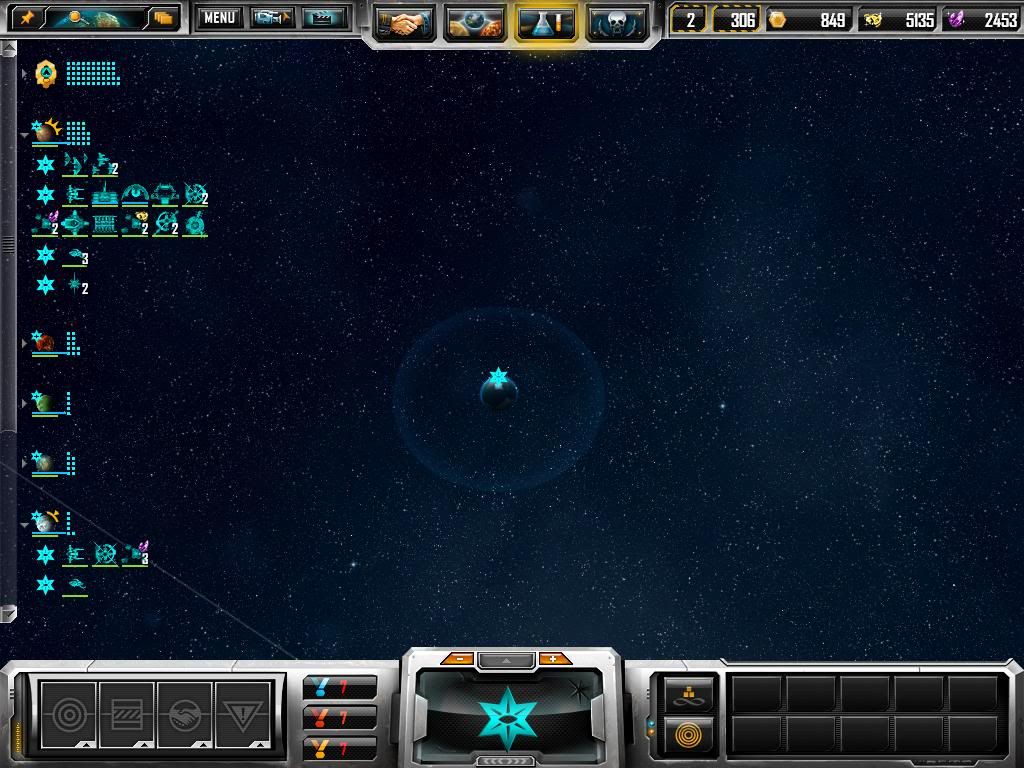
Here is the evidence. I forget which map its on, something version 2, last option for the "huge" level maps. Has 99 planets, 11 stars. 


So here Im starting zoomed out:


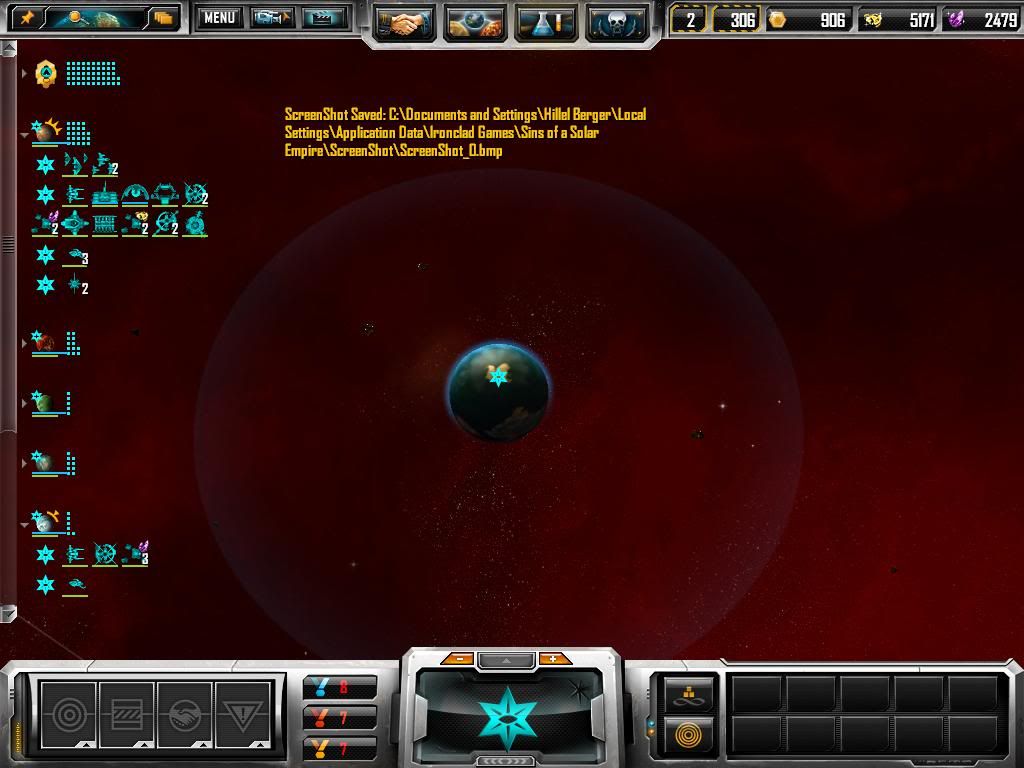
Im zooming in closer...


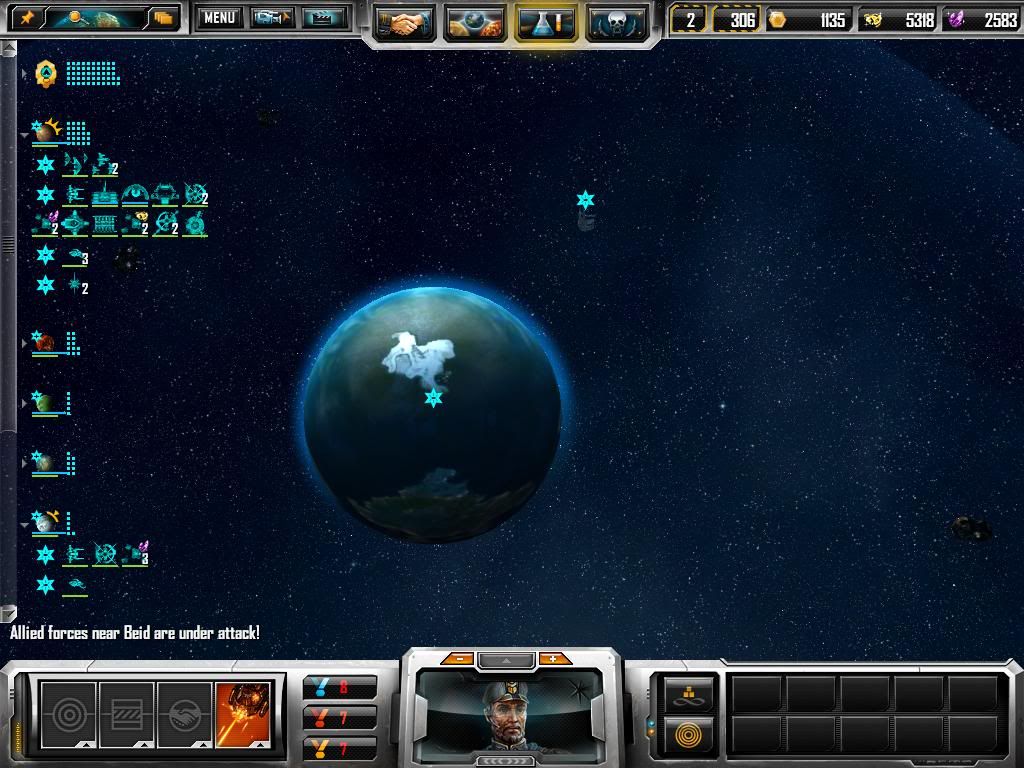
Closer....


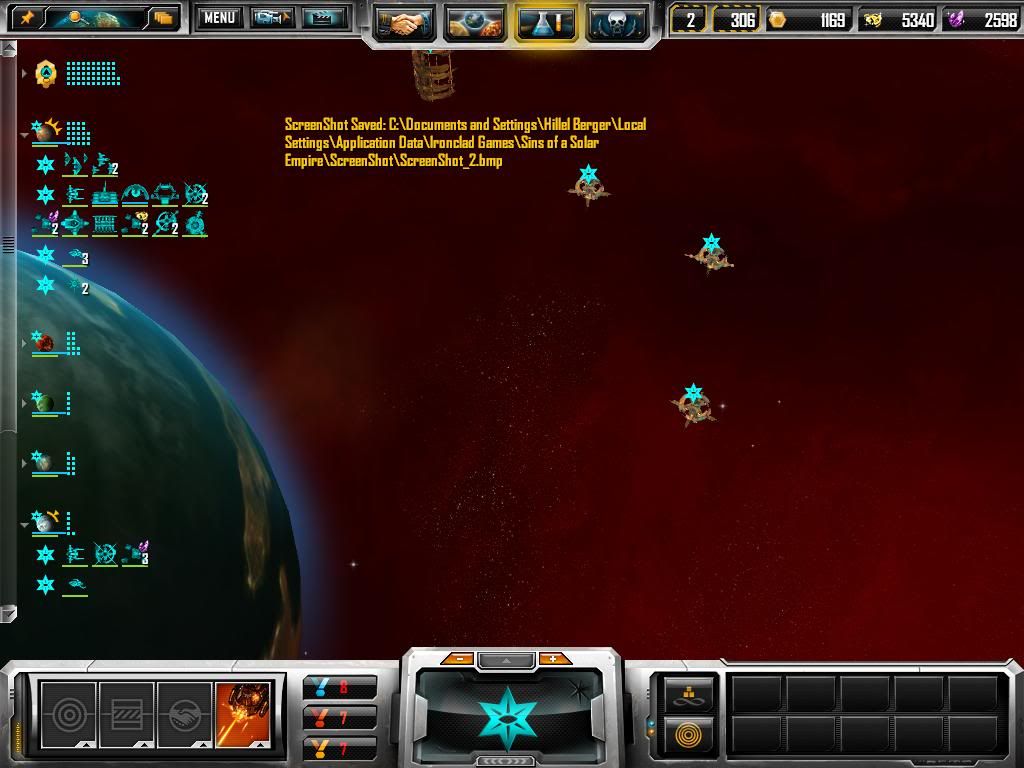
And here you go.


Cant remember the name of the planet. Stupid me. 

Reply #3832 Top

Did you try to jump the ships out? Sometimes the game (the core game not the mod) will make the ships go away out into physical space and never jump. Try ordering them back to the planet or scuttling them and rebuild. (yeah the second option sucks but we need to see if its the planet which looks terran and has never had an issue or its the core bug).

Reply #3833 Top

In my experience, if the game makes ships just drive to another planet rather then jump they will be listed in the previous gravity well until they actually touch the next one.  The simple solution that has never failed for me is just select them and click the next gravity well.  They will stop and make the jump.  I've been trying for a long time to find a way to force this mode of travel because seriously, how awesome would carrier spam be if you jumped into a gravity well and drove them half way across the map, and let their fighters and bombers have infinite runs at the enemy?  Let your defensive ships drive out to meet me while I bring in a second fleet and it's impossible for you to get back in time...  Good stuff.

Reply #3834 Top

Ok so the map im playing is Kingdom of Heaven v2.0, the planet thats having the problem is Yasuda.

I have no ships in the gravwell, since its so far into my empire that i dont bother having a fleet there, only a few defenses.

Reply #3835 Top

Quoting Stant123, reply 3833
In my experience, if the game makes ships just drive to another planet rather then jump they will be listed in the previous gravity well until they actually touch the next one.  The simple solution that has never failed for me is just select them and click the next gravity well.  They will stop and make the jump.  I've been trying for a long time to find a way to force this mode of travel because seriously, how awesome would carrier spam be if you jumped into a gravity well and drove them half way across the map, and let their fighters and bombers have infinite runs at the enemy?  Let your defensive ships drive out to meet me while I bring in a second fleet and it's impossible for you to get back in time...  Good stuff.
End of Stant123's quote

I remember an online game where I did that to someone hehehehehe.....


On that map b/c there are so many planets and stars close together it will sometimes make crap disapper. Nothing I could of done short of making the map huge would of fixed it.

Reply #3836 Top

Quoting -Ue_Carbon, reply 3835

I remember an online game where I did that to someone hehehehehe.....
End of -Ue_Carbon's quote

And I've been trying to figure out a reliable method ever since to get you back for that.  ;P

Reply #3837 Top

Who had the idea to give the pirate starbases self destruct?????? >:(


After pounding on one of them for 10 minutes I found they had self destruct the hard way, my entire fleet was destroyed and the pirates werent even afected by it, the pirates star bases are tough enough on their own, with self destruct on them they become virtually unstopable, With that experience I dont consider the pirates beatable :'( ,  unless you go to extremes.

Reply #3838 Top

Quoting Stant123, reply 3836


Quoting -Ue_Carbon,
reply 3835

I remember an online game where I did that to someone hehehehehe.....


And I've been trying to figure out a reliable method ever since to get you back for that. 
End of Stant123's quote


hahaha. those were great times.

Reply #3839 Top

I suppose it may be a tad late in the reply.  But, hooahguy, note the red and blue skybox changes as you were zooming in?  Most likely that planet is in two 'star systems', or sometimes on the edge of two.  It's a problem that's existed for as long as I can remember, though I don't know why, it just doesn't come up often.  But whenever the skybox for two stars overlaps, anything in that overlap tends to have that problem.  The stuff IS really there (they show up in your empire tree after all), and they will fight if able, they'll even go where you tell them to, it's just not rendered properly.  If it's a galaxyforge map, I might suggest loading it up and shifting the stars so they aren't as close together.  If not.. then sadly you just kinda have to deal with it and hope it doesn't become anywhere important.

Reply #3840 Top

Quoting tyr402, reply 3837
Who had the idea to give the pirate starbases self destruct??????


After pounding on one of them for 10 minutes I found they had self destruct the hard way, my entire fleet was destroyed and the pirates werent even afected by it, the pirates star bases are tough enough on their own, with self destruct on them they become virtually unstopable, With that experience I dont consider the pirates beatable ,  unless you go to extremes.
End of tyr402's quote

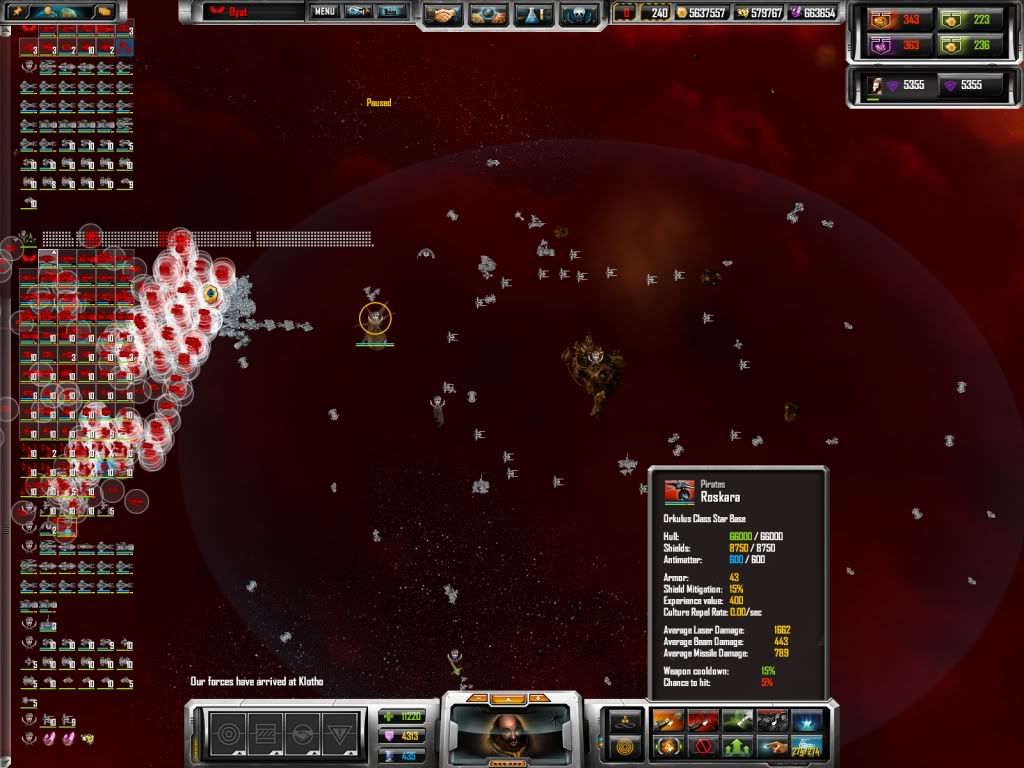
You think that's bad, you should play with Ryat's insanely tough pirates where after they start to tech up, their ships and structures have uber weapons and hulls.  Check out this starbase.

Now that's good stuff.


Reply #3841 Top

armor 43? is that possible? and with that hull? Geez, I would hope they explode cause that last 10% alone would wipe out many more fleets.

Reply #3842 Top

Quoting tyr402, reply 3837
Who had the idea to give the pirate starbases self destruct??????

End of tyr402's quote

ROFL

The dread Pirate Lord of DS strikes again.

muhahahahahahahahahah

But yeah, recommend Orgovs. Lots and Lots.

Reply #3843 Top

Quoting hooahguy, reply 3834
Ok so the map im playing is Kingdom of Heaven v2.0, ...
End of hooahguy's quote

Have a other problem with these map... on the center blue star, these with the six pirates bass around, some abilities are dissabled... by example, it is impossible to build starbase ( but possible to lay mines )... it is great since it make very difficult to keep the center of the map...

Unfortunaly, one of the AI player have the same with his own blue sun... these called "Rigil kentaurus"... the AI there is not able to fortify his sun and it become my primary target... having very fast two zone make it easy to beat the remaining AI... not sure that it was wished...

Anyway, it is a very good insane map... so much long jump line that sometime, i loose one planet due to a strong culture at the other side of the universe... and for Vasari, almost impossible to keep the center of the map ( the pirate base ) due to strong culture there from everywhere and Vasari not being able to build one single civilian structure ( more easy for TEC with the right research )... don't complain about it, difficulty is good and fun... just complain about the weakened AI due to his sun...

By the way, good work from Carbon on these map... first one that i see who is really 3D and not flat...

@ hooahguy, for your planet with problem... rotate your map for see it from the side and zoom... in some case, with the top view, because one solar system is partially up the other, it happen the thing that you describe... partial side view resolve it... not a map issue but a engine issue...

Reply #3844 Top

Question: do gunships, or w/e they are called, target bombers? In the description it says that they are good against strike craft, but are they also good against bombers?

Reply #3845 Top

Quoting hooahguy, reply 3844
Question: do gunships, or w/e they are called, target bombers? In the description it says that they are good against strike craft, but are they also good against bombers?
End of hooahguy's quote

They are smaller versions of flak frigates but in superior numbers they can do okay against bombers. Still recommend fighters for bombers though. They work better when paired with bombers as they take down fighters quick and let the bombers do their job better.

Reply #3846 Top

Ok, I was asking because I have to deal with an Advent fleet that has like 50 squadrons of fighters and bombers each. 100 squadrons. Yikes. 

Reply #3847 Top

Apologies if this is a stupid question. Has anyone noticed light blue wedges on each planet? Is this a bug or does this mod usually show this on planets? If so does it indicate anything?

Reply #3848 Top

The light blue wedges are size indicators. The more they have the bigger the planet.

Quoting hooahguy, reply 3846
Ok, I was asking because I have to deal with an Advent fleet that has like 50 squadrons of fighters and bombers each. 100 squadrons. Yikes. 
End of hooahguy's quote

Yeah, recommend a fighter/gunship mix. The fighters can concentrate on the bombers will the gunships watch their backs, then help with the bombers when they have that under control

Reply #3849 Top

Quoting Pbhead, reply 3838

Quoting Stant123, reply 3836


Quoting -Ue_Carbon,
reply 3835

I remember an online game where I did that to someone hehehehehe.....


And I've been trying to figure out a reliable method ever since to get you back for that. 


hahaha. those were great times.
End of Pbhead's quote


indeed they where

Reply #3850 Top

Quoting ripsa, reply 3847
Apologies if this is a stupid question. Has anyone noticed light blue wedges on each planet? Is this a bug or does this mod usually show this on planets? If so does it indicate anything?
End of ripsa's quote

Thats planet size indicators from the Celestial Bodies Mod. I did not like them much so I removed them in what I am working on and just made the planet icons slightly larger or smaller and added the description. High grav -bonus for giants and low grav bonus for dwarfs.