
Text of "Search all apps" is to dark
from  Stardock Forums
Stardock Forums
Windows 10 Style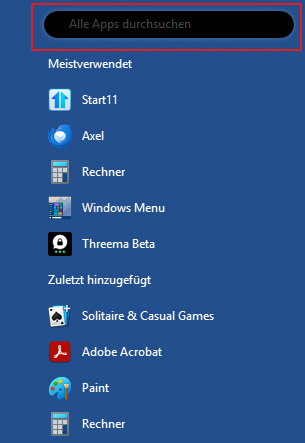
My system:
Windows 11 Professional 25H2 Build 26200.7171
Start 11 v2 2.56




Stardock will be closed for the week starting on Monday, June 29th and we will be returning on Monday, July 6th. We will be monitoring support tickets and forums during this time but expect delays in responses during this time.
Stardock Forums
Windows 10 Style
My system:
Windows 11 Professional 25H2 Build 26200.7171
Start 11 v2 2.56
Stardock Forums
Top
Hello,
Sorry to hear you are having issues. I am sorry, I can not reproduce your issue since I can not get to show that oval search box to appear on my Windows 10 style start panel. How do you do it to make that search box appear?
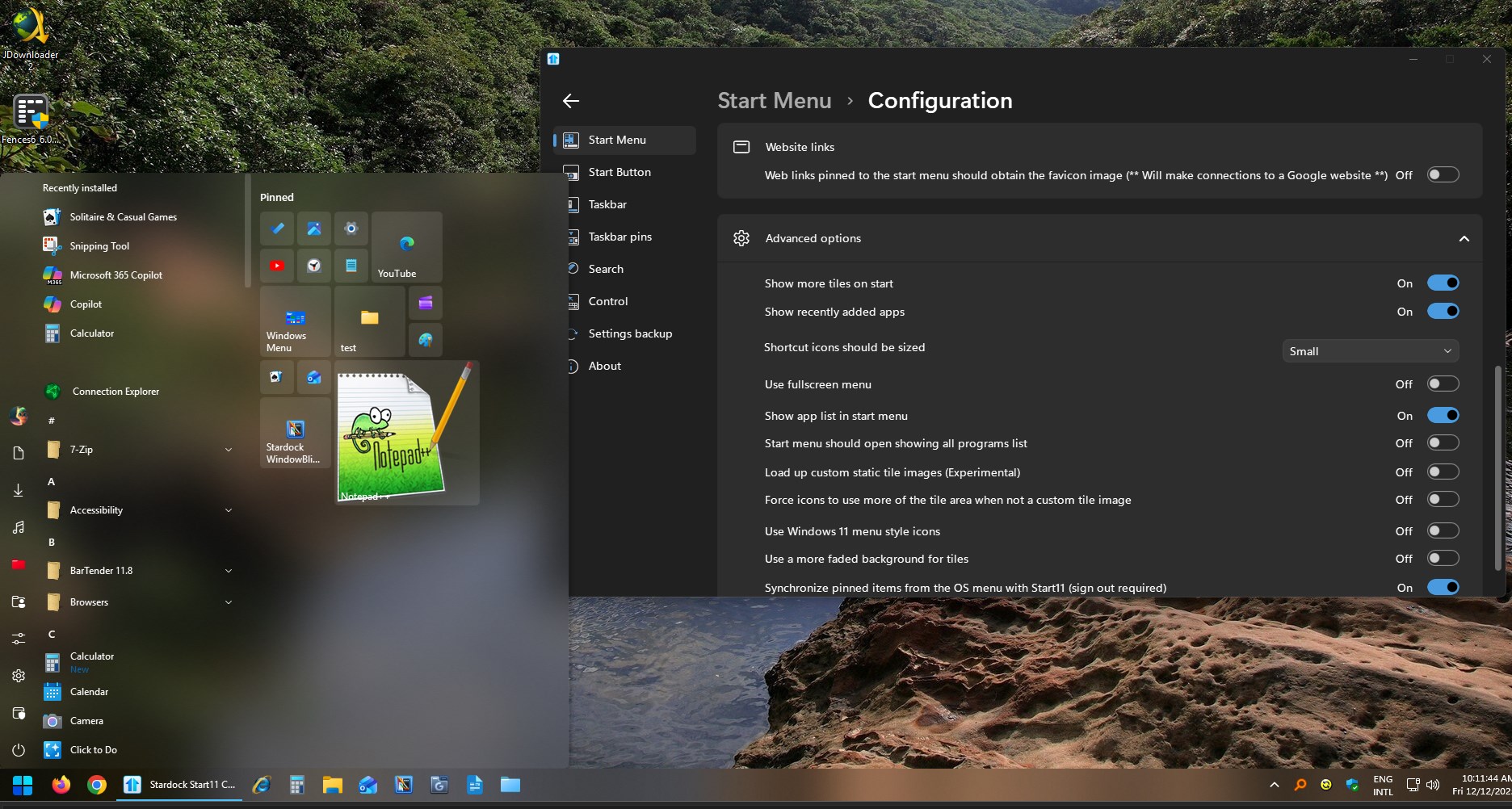
Thank you,
Basj,
Stardock Community Assistant.
Stardock Forums
Top
Windows 10 Style
Context menu "Apps list"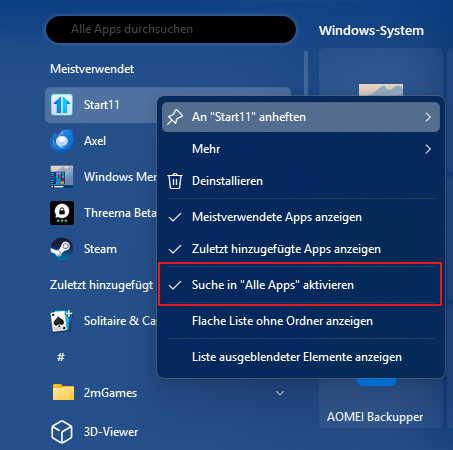
 Stardock Forums
Top
Stardock Forums
Top
When quickly switching from Windows 10 style to Windows 11 style, this effect occurs when first calling up the search fields.
Overlay of the search fields.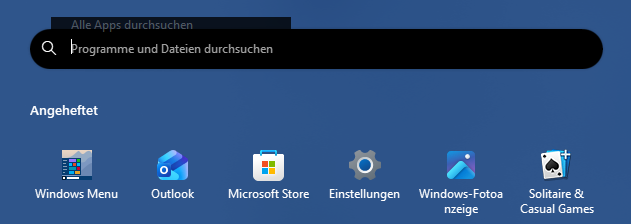
Stardock Forums
Top
Thank you for pointing it out. I can now reproduce your issue.

I have forwarded your problem to Stardock Support Team for their assistance. Please keep an eye on this thread for any updates. We appreciate your feedback and patience. Thank you.
Basj,
Stardock Community Assistant
Stardock Forums
Top
Unfortunately, the error with the search field is still there. And, as you can see, the text in the app search is still darker.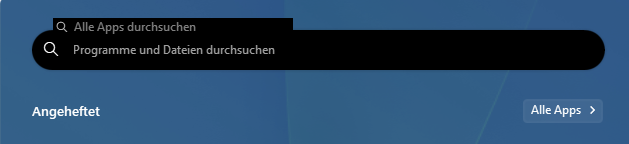
My system:
Windows 11 Professional 25H2 Build 26200.7171
Start 11 v2 2.60 Beta
Stardock Forums
Top
Hi thomas-k,
Thanks for the update. We've updated the log of the search field issue.
Internal reference: ODNT-11796
Best regards,
Adam McGuinness
Stardock Support Specialist
Stardock Forums
Top
Unfortunately, the text is still darker in Start11v2 2.6.0.2.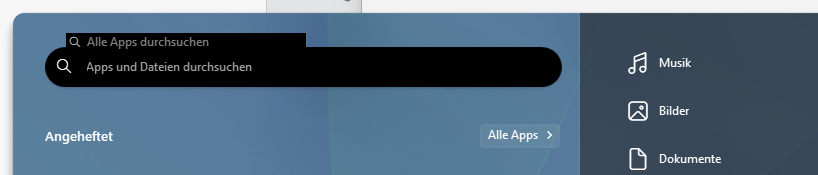
Why does the color of the search field in the Start menu differ from the color of the search field in the taskbar?
Wouldn't it be better if everything were consistent?

Welcome Guest! Please take the time to register with us.