Hi Daily Finski and thanks for your report,
For me that won't change anything, you can still hover over the previews and they are get highlighted like in the video
End of Daily's quote
Looking into the details here, it seems a slight discrepancy is due to how the default Windows 11 alt+tab menu treats app selection, versus how Alt Tabby does.
For most view modes (excluding Carousel, as basj mentioned), AltTabby will indeed select and highlight whichever tab the mouse hovers over. This part seems natural, as I think you may expect some recognition of the mouse hovering over an app from the Alt Tabby menu.
The issue then becomes, as I understand: If the menu is not pinned/stickied, that app's window will open with the release of your alt+tab menu. I understand that would not happen with a default Win11 alt tab menu.
With this considered, I have logged this difference:
- Internal reference: ODNT-12565
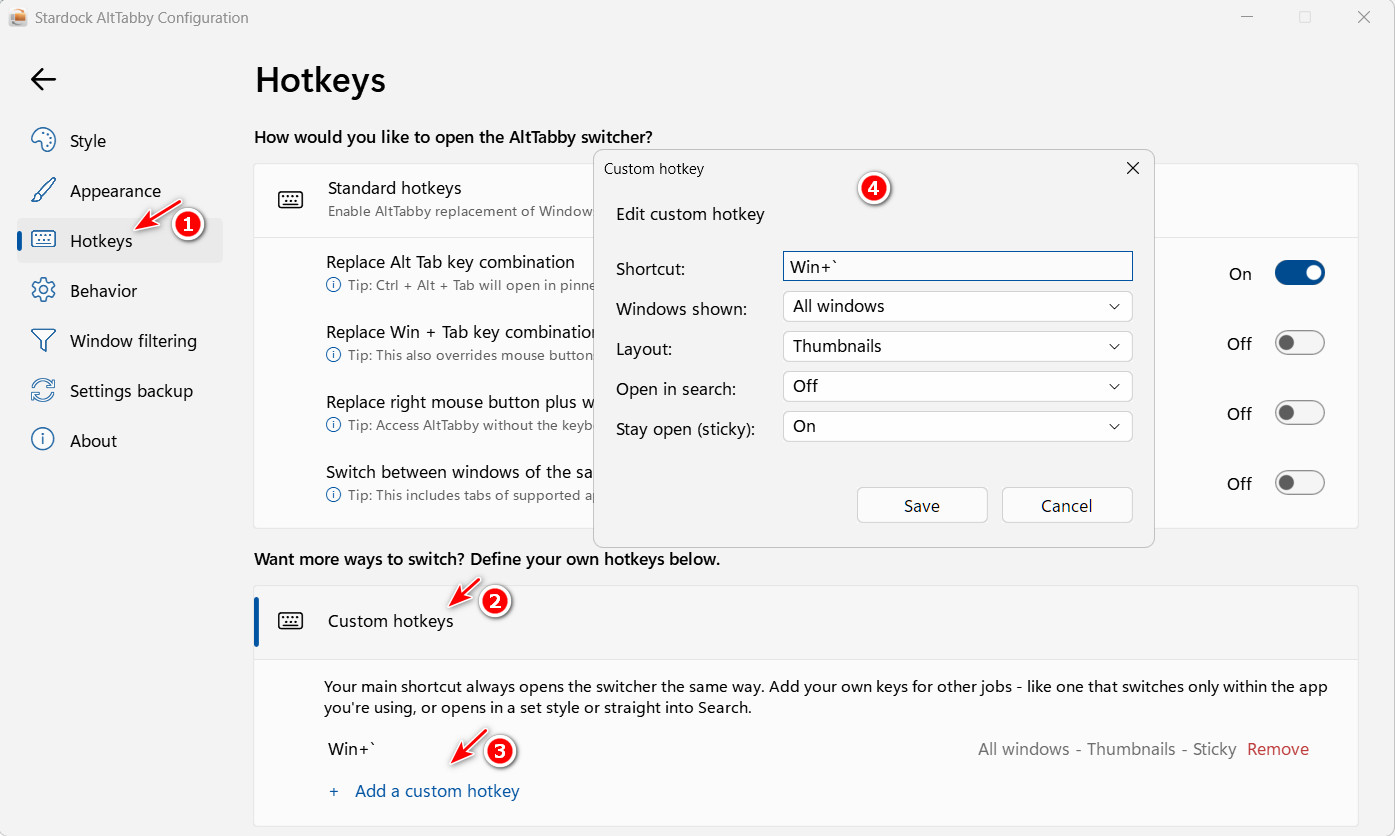
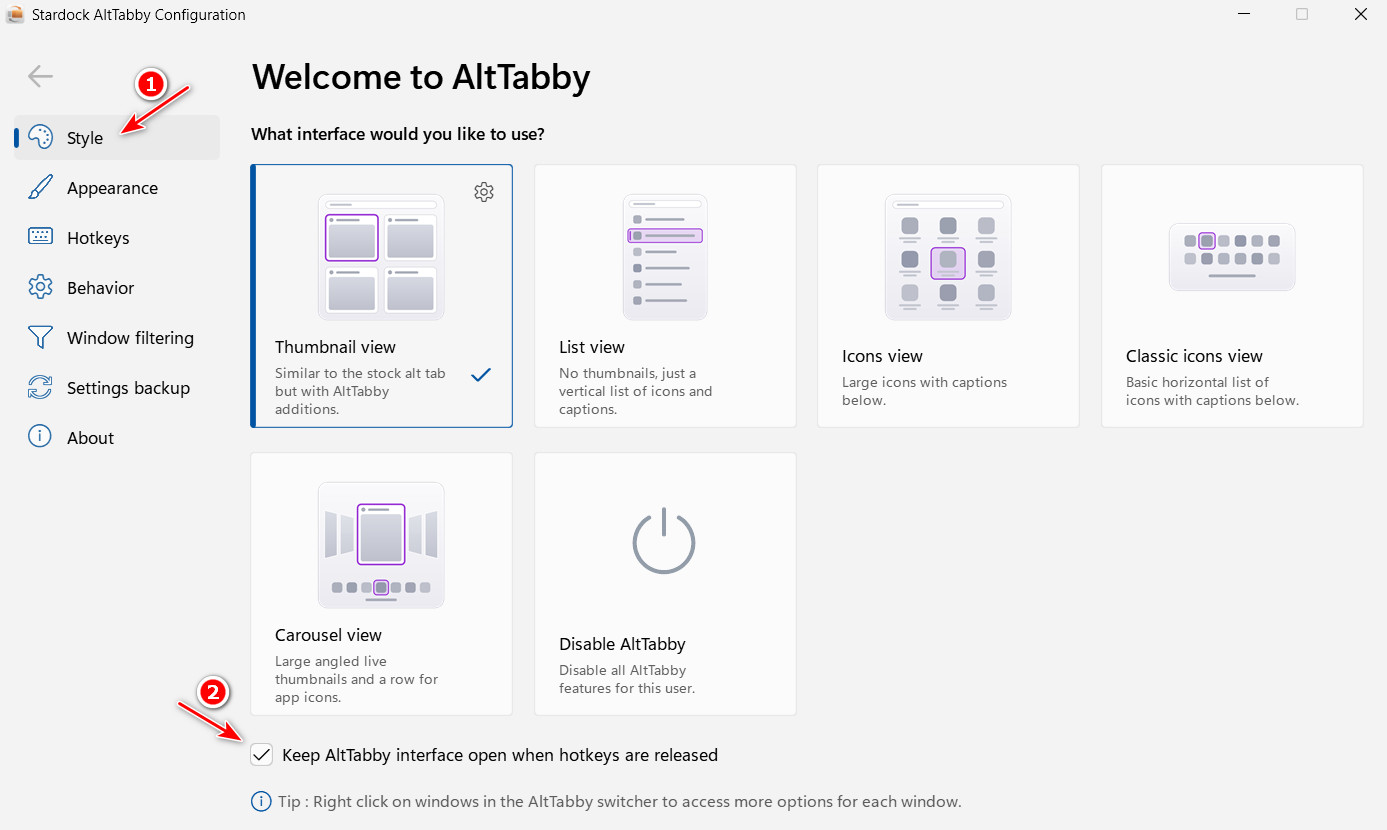
However, please consider as this gets looked at, we have offered a workaround for the difference in behavior:
When AltTabby's alt+tab menu has the "Always pinned" / "Keep open (sticky)" feature turned on, the currently hovered-over / selected / highlighted app will not open until you actually click it.
If you have further thoughts on why this workaround isn't suitable, or can elaborate on what exactly the issue is, we'll be happy to add that feedback to the report.
Best regards,
Adam McGuinness
Stardock Support Specialist





 Stardock Forums