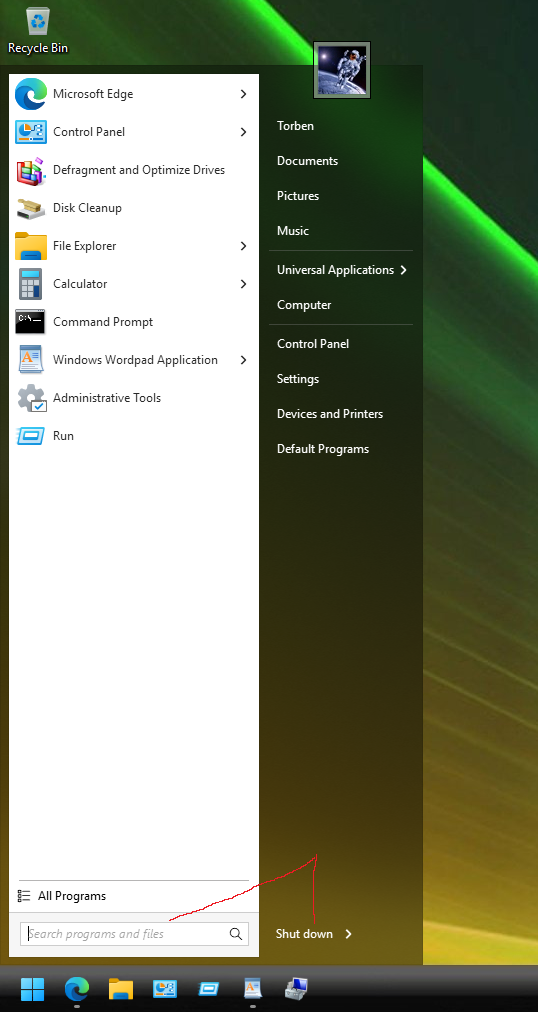
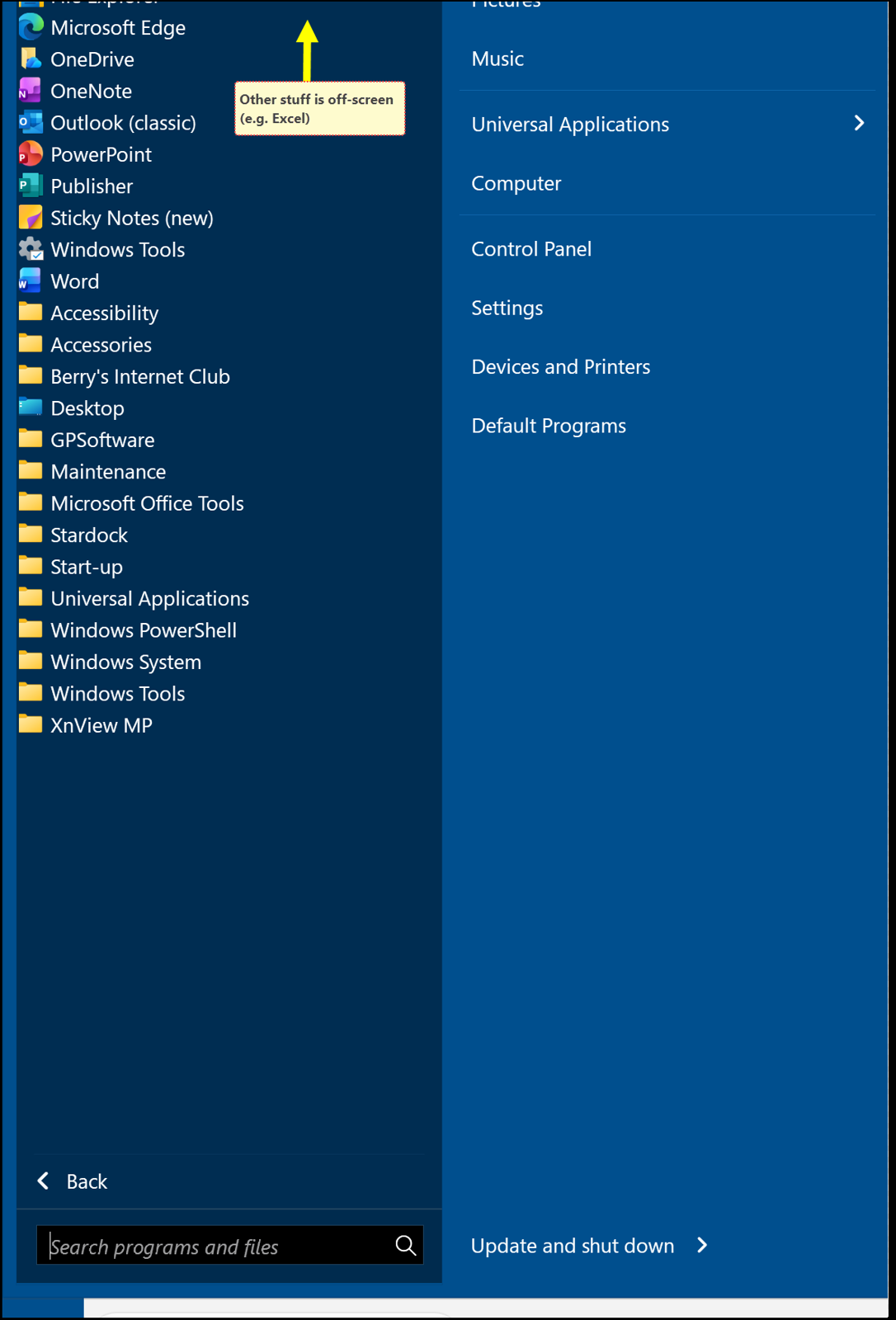
Windows 7 start menu on Windows 11 (Microsoft Surface Pro)

Regretfully pinned items are off-screen at the top, even though there much space at the bottom.

Any suggestions as to how solve this>
I agree, I can use a different format (i.e. not the classic Windows 7).
OTOH it seems to me there is sufficient space to 'lower' the items so the remainder at the top will be visible.

Device: Microsoft Surface Pro 7+ with a touchscreen
Screen: 12.3” PixelSense™ Display
Resolution: 2736 x 1824 (267 PPI)
Aspect ratio: 3:2

Thanks.
329 views 5 replies
Reply #1 Top

Hello,
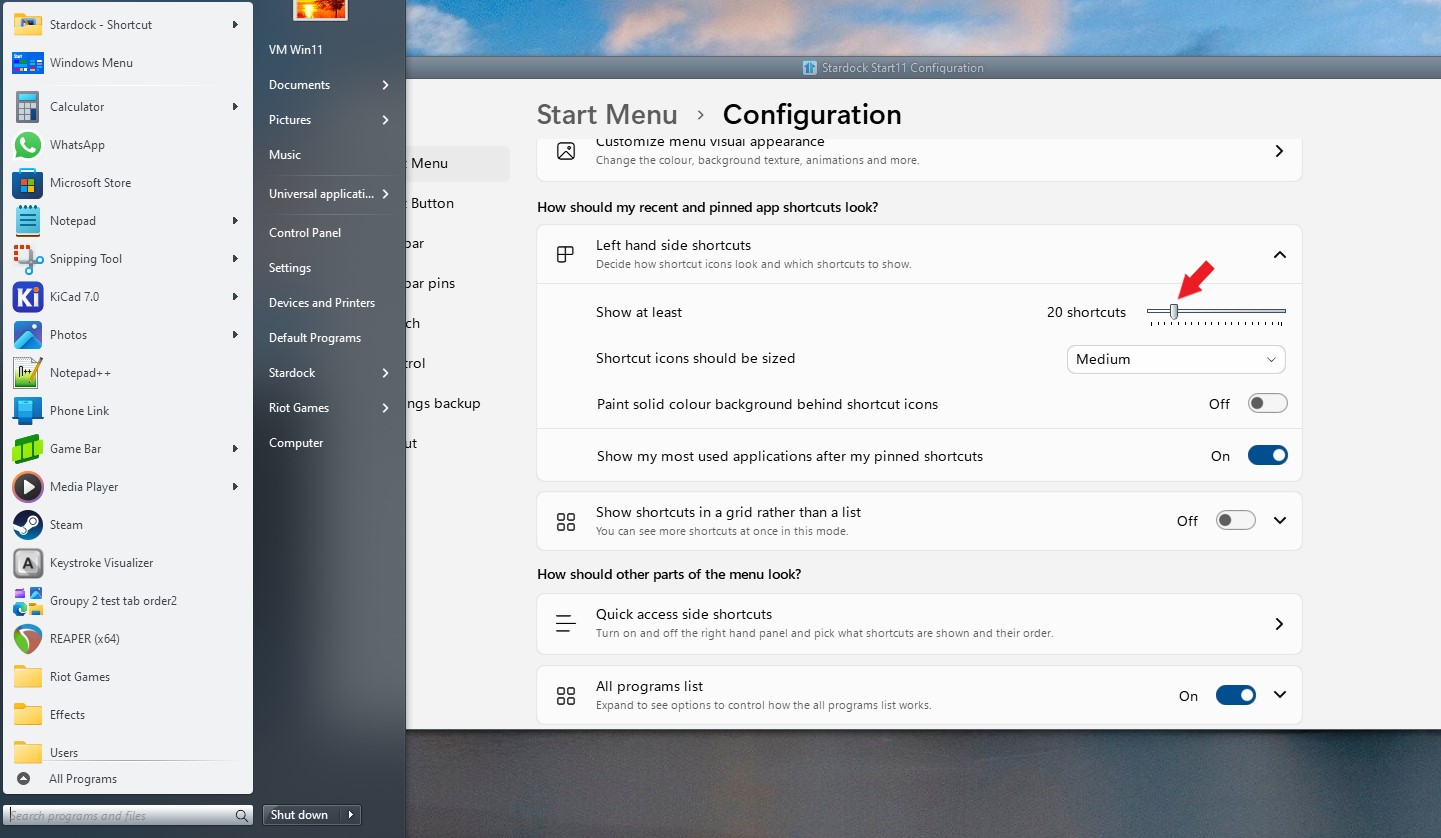
Sorry to hear you are having issues. Have you tried adjust this setting lower to make your start panel shorter?


Thank you,
Basj,
Stardock Community Assistant.

Reply #2 Top

Many thanks! 

Indeed, that solved the matter: it was set to 20 (probably default), have set it to 15. Everything fine now. 

Again, many thanks. 

Have a great day. 

Reply #3 Top

Great, glad to hear that.

Thank you,

Basj,
Stardock Community Assistant

Reply #4 Top

Hi Basj

How do you get the dark area around the Search Programs and Files?

Reply #5 Top

If I remember correctly that was screenshot with Windows 7 style with Windowblinds skin applied. So you will need a Windowblinds theme to be able to do that.


Thank you,

Basj,
Stardock Community Assistant