

How can I re-enable the Groupy 2 hover bar for a specific app?

Hello,

I'm using Groupy 2 on Windows 11.

I previously selected the option "Do not show hover bar when ungrouped for this app" for certain applications. I would now like to reverse that choice, but I cannot find a way to re-enable the hover bar for those applications.

The global option to show the Groupy hover bar for ungrouped windows is already enabled. The bar works correctly with other applications, but it no longer appears for Cursor and Windows File Explorer.

I checked the registry key:

HKEY_CURRENT_USER\SOFTWARE\Stardock\Groupy\Groupy.ini\Groupy\ExcludeUnGroupedBar

However, neither Cursor nor Explorer is listed there.

I also tried uninstalling Groupy 2, removing its settings during uninstallation, and reinstalling it, but the behavior remains unchanged.

Is there a way to reset the "Do not show hover bar when ungrouped for this app" setting for a specific application?

Thank you for your help!
339 views 5 replies
Reply #1 Top

Hello,
Sorry to hear you are having issues. I know there is feature to "Do not paint a tab when only one tab exist", (found it at "tab appearance->Advance tab settings->") but, that apply to all applications. Not really sure if that can be applied to specific application only. If you did it, how did you do it, I need to try to reproduce it.

Thank you,
Basj,
Stardock Community Assistant.

Reply #3 Top

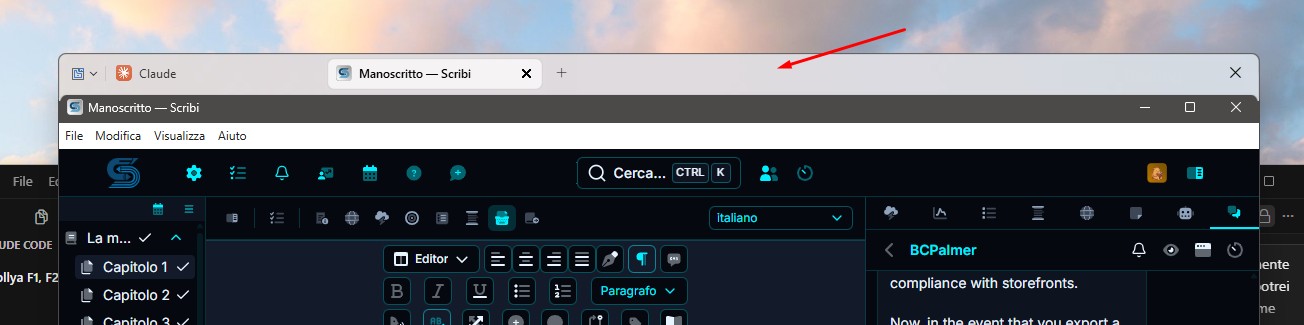
Not really sure what you're trying to show with your screenshot. Please elaborate.

Thank you,

Basj,
Stardock Community Assistant

Reply #4 Top

Hi Basj,

The issue is not with the screenshot itself. I'm trying to restore a Groupy 2 feature that I accidentally disabled.

I selected the option "Do not show hover bar when ungrouped for this app" for Windows File Explorer.

Since then, the hover bar no longer appears for File Explorer windows, and I cannot find any setting in Groupy 2 to reverse that choice.

I've already tried reinstalling Groupy 2 and resetting its settings, but the hover bar still does not appear.

My question is simple: How can I undo the "Do not show hover bar when ungrouped for this app" setting and restore the hover bar for File Explorer?

I'm using Groupy 2.3.1.1.

Thank you.

Reply #5 Top

Hello,
I have forwarded your problem/question to Stardock Support Team for their assistance. Please keep an eye on this thread for any updates. We appreciate your feedback and patience. Thank you.

Basj,
Stardock Community Assistant