Start11 v3 Beta Release Feedback
With the Start11 v3 beta release, we are creating this thread so that users can report any observed issues.
Thank you for your interest and any time you put into making Start11 v3 a better product.
With the Start11 v3 beta release, we are creating this thread so that users can report any observed issues.
Object Desktop members can get the release from within Object Desktop Manager
Individual purchases (as well as Object Desktop Members) can also be obtained from your account page: https://store.stardock.com/myaccount/products
For guest check-out purchase (no account), from this link: http://www.stardock.com/support/productkeyretrieval
Please include the following for anything found:
Exact Windows version \ build (winver.exe)
Detailed steps to recreate the issue seen
Screenshots and videos are very helpful. Videos can be uploaded to a cloud drive service (GoogleDrive, DropBox, OneDrive, YouTube), with a shared link included in your post. Images can be copied and pasted directly into a post.
If there are specific apps that the app does not work (well) with, please note what apps and their exact versions. If any app is not common, a link to a trial version would be appreciated.
Thank you for your interest and any time you put into making Start11 v3 a better product.
11/04/2026
UI: 3.0 BETA 1
File Version: 3.0.0.0
1) New configuration window
- More user friendly
- Integrated search
- Control over pins and changing their icons
- Integrated WC support for installing start button images
- Integrated wC support for sharing pages
2) Widgets in the start menu
3) Columns in the start menu
4) Option to put name next to tab groups
5) Option to collapse header on groups until mouseovered
6) Option to pin a group to all pages
7) Improved right click menus which are better organised and hide extra options unless you want to see them (setting in config to force)
8) Hotkey option on shortcuts to launch them by pressing 0-9 on the keyboard when the menu is open
9) Popup folder menus from the taskbar can now have settings controlling size, how many items listed, sort order, icon size and option to open the folder from clicking the header and changing the icon used for it.
10) New Win11 Pro style choice for hiding the text on the right hand side and only showing icons
11) New option to show OS wallpaper as background to the menu
12) New Fuzzy match option for search
13) Instant answers from DuckDuckGo option for search
14) Bang support in search, both built in for websites and user defined for websites / local apps
15) Sort order control for Everything results
16) Taskbar island mode support
17) Don't reserve space for the taskbar option
18) Collapsing island mode
19) Taskbar border mode allowing you to have a coloured border on a taskbar - when rounded or island mode
20) Additional taskbar button styles - Classic, Minimal and Glassy
21) New taskbar combine modes - Combine only those with > 1 window, expand only when active, and icon only when single window
22) The ability to set taskbar combine mode per app - Ctrl + right click on the taskbar button to set
23) Option to only allow one group to be open at once
24) New Ctrl + click on a taskbar button expands it so you can see all the members
25) Ability to drag windows out of a group - say an explorer window moved from its siblings - ctrl + drag
26) Option to flip the above to be the default and ctrl + drag = drag entire group
27) Option to show Groupy groups on the taskbar
28) New + button on the taskbar offering access to recently closed apps
27) Taskbar overflow mode with ... button
28) Ability to hide items from the taskbar and only be accessed from the + button
29) Ability to add separators to the taskbar to help organising
30) Ability to rename and change the icon of items on the taskbar
31) Ability to set rules to decide how items on the taskbar should group together
32) Ctrl + right click menu on buttons on the taskbar lets you access options to move an app to another window
33) Ability to group items into a collapsing button/pill on the taskbar. These groups can be saved as a workspace for later launching or just to keep things tidy. Groups can have colour, name etc controlled from the right click menu.
34) Ability to dock folders on the taskbar like the old quicklaunch folder on Win7 etc. Can add from right click taskbar menu and configure by right click on the label.
35) Option for custom taskbar thumbnail window which offers min, max, close options on the previews plus a grid mode if there are too many to appear usually.
36) Option to hide the cascade etc menu items from the taskbar right click menu.
37) New animations on the taskbar
38) Search allows filters such as modified: datemodified: created: kind: size: ext: author: width
39) Option for compact mode for groups where the text is hidden on the items
40) Undo option in menu
41) Grid mode for all apps list

Announcement post: https://www.stardock.com/blog/542766/stardock-announces-start11-v3
Known issues
While we appreciate all feedback, please remember that we offer no official support for beta \ preview \ developer channel versions of Windows. If you report issues while in any of those early release channels, you should not expect them to be addressed unless it still exists in a retail version of Windows.
Very excited about this. Should we install over Version 2 or uninstall version 2 before installing version 3?
Absolutely great! Tremendously customizable. No problems at all, at this point.
Installed over Start11v2 and all is well.
There is a little bit of a learning curve with the config app, but laid out very nice.
"Show the desktop wallpaper behind the menu" is something I have been asking to be added for quite some time, it's awesome and I am very thankful, however, it does not respect "Desktop Effects" in DeskScapes 26, specifically "Darken." and I'm not sure if it can be remedied.
Otherwise, a really great improvement over Start11v2. ![]()
Installed over Start11v2 and all is well.
There is a little bit of a learning curve with the config app, but laid out very nice.
"Show the desktop wallpaper behind the menu" is something I have been asking to be added for quite some time, it's awesome and I am very thankful, however, it does not respect "Desktop Effects" in DeskScapes 26, specifically "Darken." and I'm not sure if it can be remedied.
Otherwise, a really great improvement over Start11v2. ![]()
We are thinking about making that lighten / darken it and having the transparency slider control it.
If you can't find something in the new config you can use the search option.
Installed over Start11v2 and all is well.
There is a little bit of a learning curve with the config app, but laid out very nice.
"Show the desktop wallpaper behind the menu" is something I have been asking to be added for quite some time, it's awesome and I am very thankful, however, it does not respect "Desktop Effects" in DeskScapes 26, specifically "Darken." and I'm not sure if it can be remedied.
Otherwise, a really great improvement over Start11v2. ![]()
We are thinking about making that lighten / darken it and having the transparency slider control it.
If you can't find something in the new config you can use the search option.
That would be awesome! "Make it so."
When set to All Centered, on the secondary the start menu icon is staying to the left but if I click where it should be, it opens 26H2 26300.9818
(feels kind of odd posting bugs, when I use to reply to them
)
I was just wondering when V3 is officially released if it will be the same as upgrading from V1 to V2 which was a paid upgrade or will we be able to upgrade from V2 for free or at a discount.
I just answered my own question when I went to the V3 purchase page there is an upgrade option and yes you are offered a discount after entering your purchase E-Mail which seems more than reasonable.
Hi rsmail,
I was just wondering when V3 is officially released if it will be the same as upgrading from V1 to V2 which was a paid upgrade or will we be able to upgrade from V2 for free or at a discount.
I just answered my own question when I went to the V3 purchase page there is an upgrade option and yes you are offered a discount after entering your purchase E-Mail which seems more than reasonable.
Yes, that's correct. Complete overview for related/common upgrade questions can also be found here:
https://support.stardock.com/space/SHC/4114776112/Start11+v3+Upgrade+FAQ
Best regards,
Adam McGuinness
Stardock Support Specialist
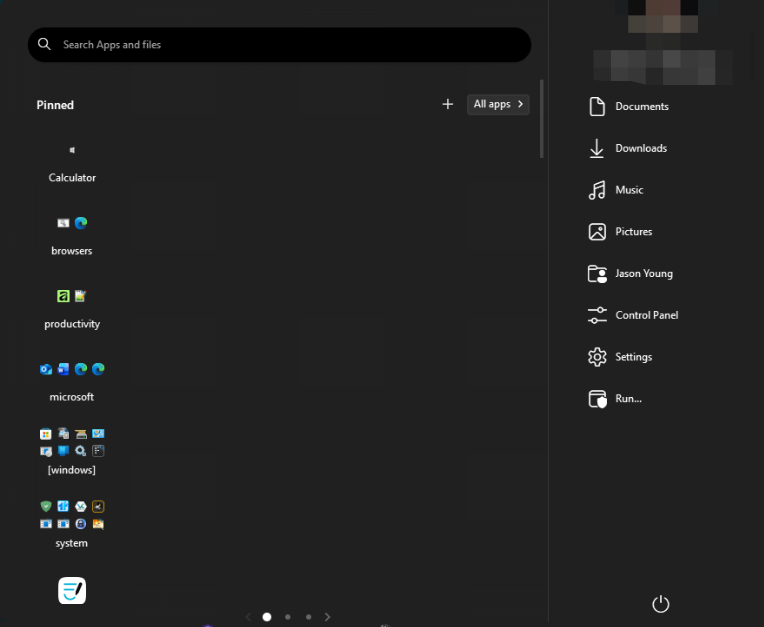
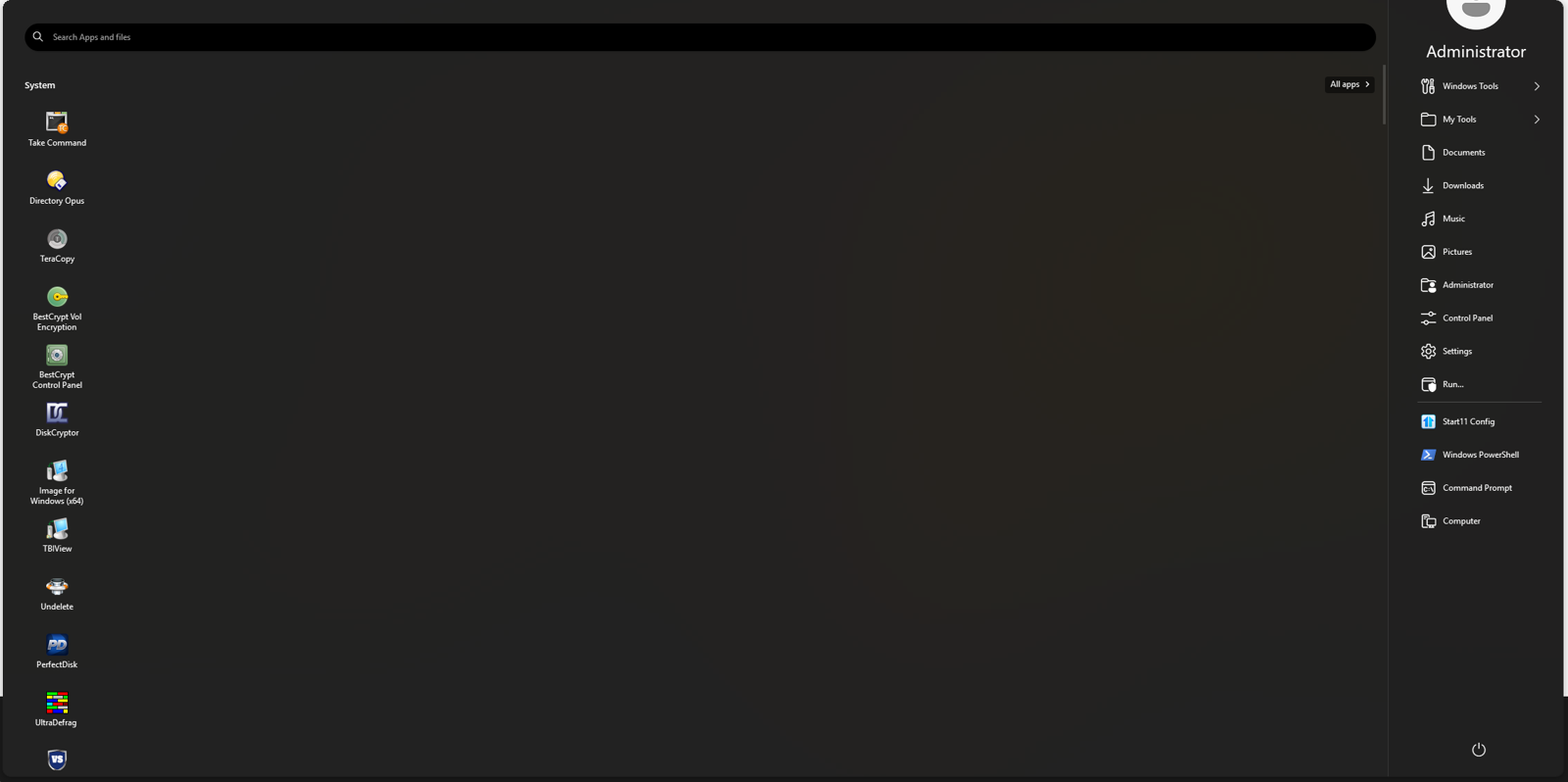
Start11 v3 is only showing "pinned Apps" in start menu ( Windows Pro Style) in a vertical column makes for a lot of scrolling ....not as a grid of columns and rows as in v2. Can this be addressed in settings or in an update fix?

Same. Mine is also showing Pinned and other groups in a single very long column along the left side, leaving the rest of the Start Menu empty. Using the Windows Pro style. I upgraded directly on top of my existing Start11 v2 setup.
How did this get released when it is so fundamentally broken? I upgraded from V2 and my icons are meant to be in rows, but instead they are just displayed in a single column and it seems that nothing I do can correct this. Thanks for breaking my Start menu with this fantastic new version!

For those with icon issues can you save a backup and upload it somewhere and send us a link. Looks like some sort of update from V2 settings issue as that should be identical to before.
I would also be curious as to what happens if you move an icon, does it move correctly?
How did this get released when it is so fundamentally broken? I upgraded from V2 and my icons are meant to be in rows, but instead they are just displayed in a single column and it seems that nothing I do can correct this. Thanks for breaking my Start menu with this fantastic new version!
Was it like this directly after updating from v2 or did you add any pages and/or resize the menu at all?
Yes, directly after updating and restarting my PC. I've made no changes. I have attempted to restore a backup from a Start11 2 and the layout was exactly the same broken single column. Moving icons makes no difference, they just stay in a single column. Downgrading to V2 left it in the same broken state.
I have restored my system from an image backup so I no longer have access to the broken version in order to create and send a backup.
We have been able to reproduce this and are investigating why as it shouldn't happen.
Once you downgraded to v2 were you able to move the icons again?
We have been able to reproduce this and are investigating why as it shouldn't happen.
Once you downgraded to v2 were you able to move the icons again?
No.
Anyone who has the display issue, please use the Windows 7 style, Modern style, or Windows 10 style, as those are not impacted. Hope to have a fix out shortly.
I believe this was linked to people who had moved groups around on screen which caused v3 to be confused as some temp values which had no meaning in v2 but got saved out (as used for the Win10 menu) did have meaning in v3. Assuming you didn't make any changes to the menu layout at all, it will not have resaved it and thus will all be ok, otherwise it may have changed some positions of icons etc.
I believe a check for updates may now show a fixed version or you can download it from your store downloads and I recommend you do.
Thanks for letting us know and sorry about that issue.
I updated to the new version using the Object Desktop launcher and rebooted, but it didn't fix or change the issue for me. It still says it is version Beta 1, and checking for a new version in both the app and Object Desktop shows I'm on the latest version.
Welcome Guest! Please take the time to register with us.
Select a reason for giving karma:
You're about to visit an external site:
Sign up here to get the latest news, updates, and special offers delivered directly to your inbox.